2022年12月18日星期日

Autel MaxiCOM MK808 Do DPF Regeneration


Can Autel MaxiCOM MK808 Do DPF Regeneration? The answer is YES. Autel MaxiCOM MK808 is a comprehensive scan tablet and diagnostic scanner. It has a variety of functions available incl. DPF/ EPB/BMS/SAS service and oil reset which are used for the safety and efficient maintenance of systems.

DPF service specially works for Diesel Particulate Filter system with DPF regeneration, DPF component replacement teach-in and DPF teach-in after replacing the engine control unit.

Something to know about Autel MK808:

1.MK808 is original Autel brand tool with high quality

2.Update online: One Year Free Update Online, the update cost is 150USD/Year, after first year.

3.Multi-Language supported: English is default language. It also supports German, Spanish, Portuguese, Dutch, French, Italian, Korean, Japanese, Russian, Polish, Swedish, etc. (But for other languages, you need to pay 70USD for language exchange.)

Autel MK808 Customer Reviews:

Customer Review 1: Great budget scanner

For a few years I was using one of the small WiFi scanners but it wouldn’t read anything except engine codes. This reads all codes including abs and transmission. I’ve been able to quickly diagnose and fix several issues on multiple vehicles with it. It won’t rewrite computer software or do anything a more expensive bi directional scanner will but it gives you a ton of information about the vehicle you’re working on. Battery life is ok not great but it beats paying a few thousand dollars for snap on Mac ect and seems to be built almost as well. I would highly recommend MK808 to anyone who works on their own vehicles or even the professional technician who need something accurate and can’t afford to spend a ton of money.

Customer Review 2: I love the MK808

I love the MK808. It's a responsive touch screen tablet with an Android operating system and wireless internet. You can easily look up information on the spot while working on a vehicle. It also has quick links to your online repair manuals. Fast and intuitive operation saves you a lot of time during repairs. You can save customer info in the scanner, so you have information at the ready for repeat customers or to educate aggressive customers. If you're using this for personal use, you'll have a reference on hand of your own vehicle's issues.

Customer Review 3: Verified Purchase

Needed to do some work on my 2002 Toyota Tundra and a couple of Kia’s. My older actron 9670 served me well but was lacking many of the features that I needed to diagnose the Kia’s mainly the srs and abs systems. The Autel mk808 is a powerful tool but keep in mind you need to read the manual (more is better) to understand how this scanner works. Some features are not as intuitive as the less capable scanners. Registration and update of the software was quick and painless, I considered purchasing a bi- directional scanner but decided against purchasing more scanner than I actually need as an advance DYI mechanic. If needed I have no problems upgrading to a more advanced Autel scanner, I like the overall design and software GUI that Autel uses and feel that the my808 is a lot of bang for the money spent.

UPDATE: repaired a faulty brake circuit code with this scanner, seems someone had put in led bulbs and the Kia uses a ground for the brake circuit through the stop light bulbs. Replaced the bulbs with standard bulbs and the Cruise control and traction control are now working perfectly. My older scanner did not pull the brake circuit code that allowed me to find the problem. The Autel MK808 has actually allowed me to fix a problem that has irritated me for over a year.

That’s all!
More information you can check here:https://www.cnautotool.com/goods-6879-Autel-MaxiCOM-MK808-OBD2-Diagnostic-Scan-Tool.html


2022年6月2日星期四

MB SD Connect C5 vs. SD Connect C4


MB SD Connect C5 vs. SD Connect C4
1. The host communication connection end USES from design, to avoid inadvertently fall in the normal use of the communication port to connect and communication failure, etc.
2. DC 12 v power supply design/host upgrades to avoid the battery installation/battery voltage instability/host can’t enter the shutdown state, etc, caused by the motherboard and rapid  aging of the battery.
3. The host CPU radiator surface and perfectly fit alloy shell, good heat dissipation effect. Equipment running smoothly, don’t crash.
4. The host USES the tamper clasp, should to avoid fragile warranty sticker damage caused by the warranty disputes.
5. Host wi-fi protected the upgrade for PC plastic shell, solid quality does not affect the wi-fi signal.
6. OBD main telecommunication lines connected to the host end upgraded to VGA15 industrial-grade connector.
7. Network upgrade for gigabit connections/pure copper wire core/double layer aluminum foil/woven mesh/silica insulation material. Gigabit communication Against interference/pulling  open circuit / / fracture in low temperature.


 Welcome to our websitewww.cnautotool.com

2022年4月1日星期五

About Autel IM508/608 Program A New PCM on Honda Acura Guide


This article is about to show you how to program a new PCM for most Hondas and Acuras using Autel MaxiIM IM508/IM608.

Here we have a Acura MDX 2005 to handle by the Autel IM508 Key Programmer.

This is the 3rd generation immobilizer, which is used on many Hondas like Accord or Acuras like TLX.

The car won’t start because of the new ECU in.
Autel IM508608 Program A New PCM on Honda Acura Guide-5-1 (2)
We will reprogram it, so the key will work again.

Go to

IMMO>>Acura>>Automatic selection

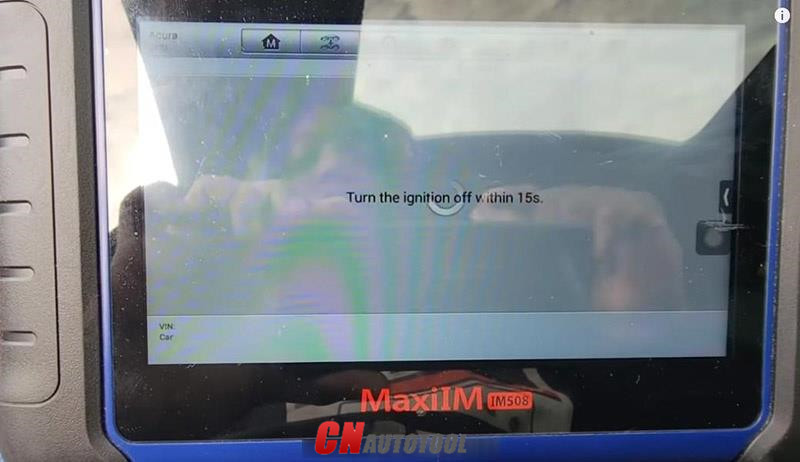
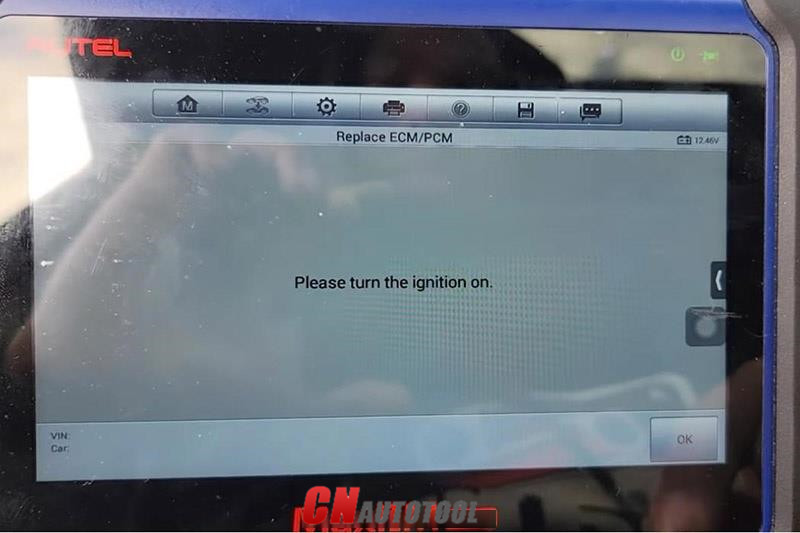
Turn on the ignition so it will pull out the VIN.

Then go to

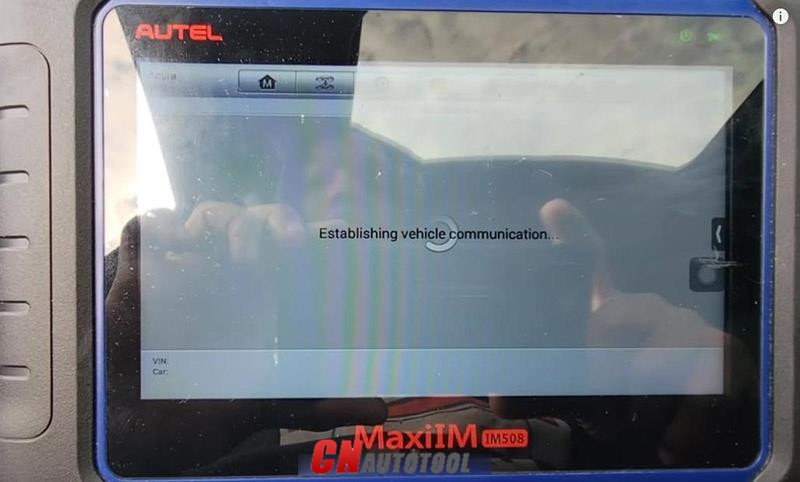
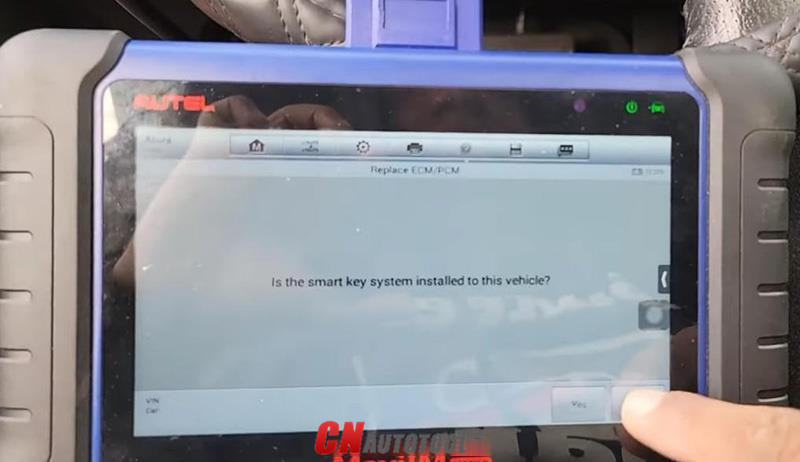
The 3rd mechanical key system>>Replace ECM/PCM
Autel IM508608 Program A New PCM on Honda Acura Guide-5-2 (2)

Autel IM508608 Program A New PCM on Honda Acura Guide-5-3 (2)

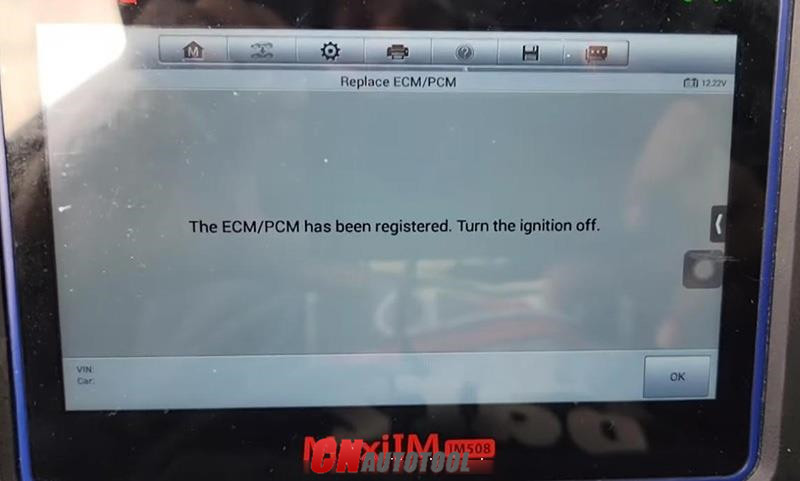
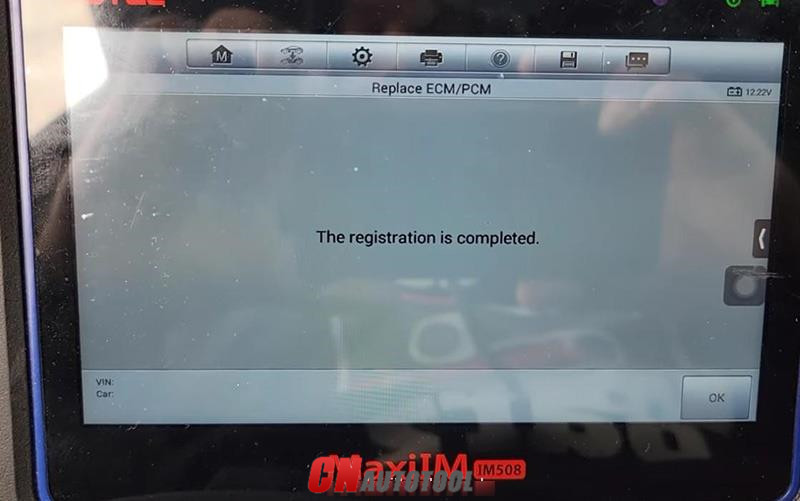
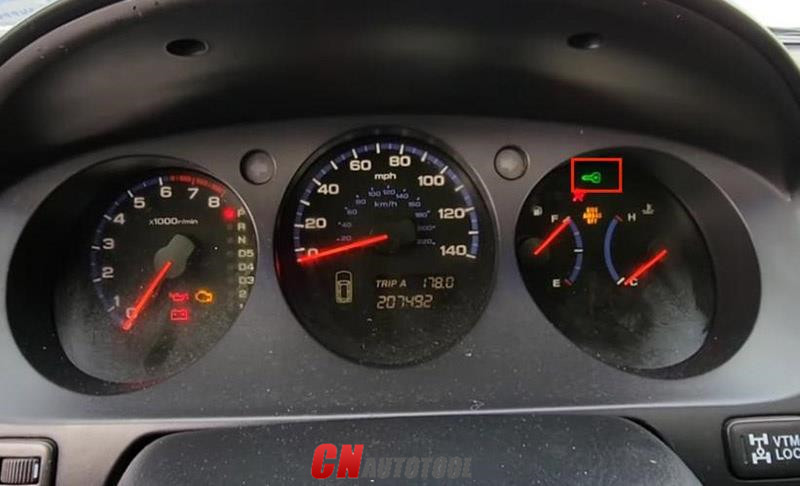
After about 5 minutes, we’ve registered the PCM.

Autel IM508608 Program A New PCM on Honda Acura Guide-5-4 (2)

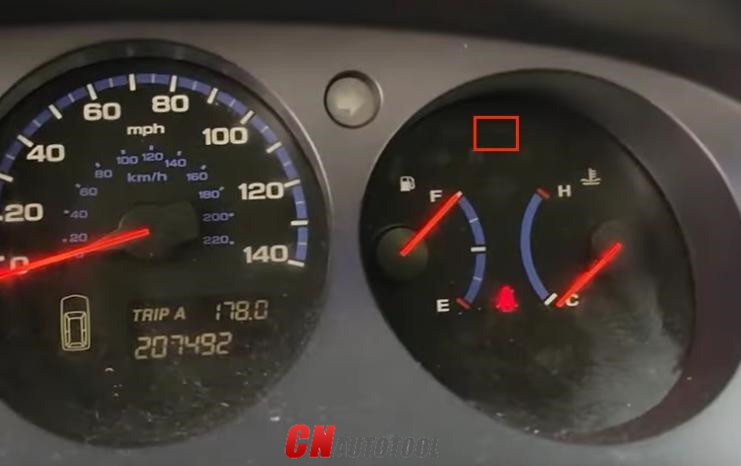
Meanwhile, the immobilizer light disappears.
Autel IM508608 Program A New PCM on Honda Acura Guide-5-5 (2)

Turn off the ignition as required.

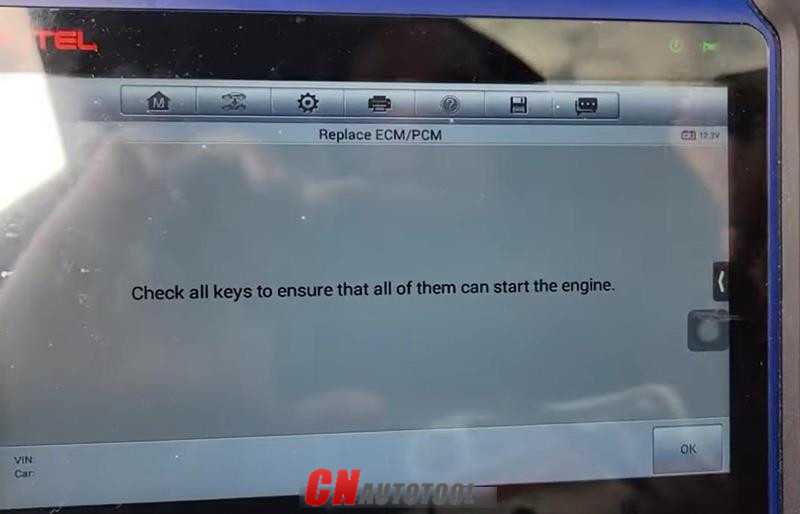
Follow instructions to check keys.

Autel IM508608 Program A New PCM on Honda Acura Guide-5-6 (2)

Autel IM508608 Program A New PCM on Honda Acura Guide-5-7 (2)

Autel IM508608 Program A New PCM on Honda Acura Guide-5-8 (2)

Autel IM508608 Program A New PCM on Honda Acura Guide-5-9 (2)

The car starts without any issues.

Done! Nice and simple!

That’s the guide of programming a new PCM module using Autel IM508/Autel IM608.

Any questions, contact us with sale@cnautotool.com

2022年1月7日星期五

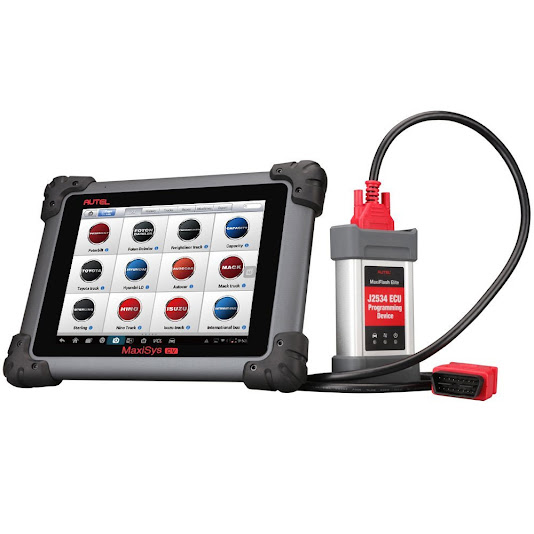
Newest AUTEL MaxiSys CV MaxiSYS MS908 CV

 Newest AUTEL MaxiSys CV MaxiSYS MS908 CV Heavy Duty Truck Diagnostic Tool Full System ECU Coding Update Online

Autel MaxiSys CV is built on the powerful MaxiSys MS908 platform and provides a comprehensive disgnostic solution for virtually all commercial vehicles as well as machines made in North America, Europe and Asia.


Offering advanced features and extreme ease-of-use, AUTEL MaxiSys CV is the ideal solution for independent repair shops, owner-operators and various sized fleets seeking a single scan tool for all their professional heavy duty needs.


Autel MaxiSYS MS908 CV Read and clear codes, view and graph live data, perform tool-guided maintenance services, complete an array of special functions and diagnose manufacturer-specific systems including Allison transmissions, Bendix ABS Brake systems, Detroit Diesel Engines and Eaton and Wabash ABS trailer brakes.

Automatic Wi-Fi updates available in new software releases, 1 Year Software Updates and 1 Year Warranty Included.

The complete MaxiSys CV tool kit includes a compact sized MaxiFlash Elite which performs J2534 and J2534-2 pass-thru programming and provides bluetooth VCI communication between the vehicle and MaxiSys CV tablet.

AUTEL MaxiSys CV Heavy Duty Truck Diagnostic Tool Special Functions
• DOC/DPF Replacement Reset
• Fuel Pressure Adaptation Reset
• Injector CEOM Reset
• O2 Sensor Calibration
• Injection Quantity Adjustment
• DPF Regeneration
• DSI System De-Aeration
• MAF Sensor Calibration
• Parameter Setting
• Aftertreatment Maintenance
• Aftertreatment Maintenance Filter Installation
• Aftertreatment Particulate Matter Sensor Regeneration • Aftertreatment SCR Catalyst Cold Soak Override
• Aftertreatment SCR System Health Monitor
• Boost Calibration
• Rack Sensor Calibration
• Timing Calibration
• Monitor Throttle Position Sensor
• Extended Service Coverage
• Injector Trim Calibration
• Configuration
• Custom Data
• Maintenance Monitor

AUTEL MaxiSys CV Heavy Duty Scanner Support Truck List:
Expert Buses Trucks
• Allison
• Bendix
• Caterpillar
• Cummins
• International
• Detroit
• PACCAR
• VOLVO
• Freightliner
• Wabco
• ZF Meritor
• MERCEDES BENZ
• Boschauto
• Power Stroke
• AISIN
• IVECO
• Mack
• Eaton
• MTU
• MWM • OBD
• VOLVO
• AGRALE
• HINO
• ISUZU
• MERCEDES BENZ
• MITSUBISHI FUSO
• VOLKSWAGEN
• TOYOTA
• RENAULT • VOLVO
• AGRALE
• AUTOCAR
• CAPACITY
• Dodge
• FIAT
• FORD
• FOTON
• Freightliner
• GMC
• GREAT WALL
• HINO
• HYUNDAI
• ISUZU
• KIA
• MERCEDES BENZ
• MITSUBISHI
• MITSUBISHI FUSO
• NISSAN
• Sterling
• International
• IVECO
• VOLKSWAGEN
• Kenworth
• Mack
• Peterbilt
• WORKHORSE
• WESTERN STAR
• SETRA
• UD
• Renault


 https://www.cnautotool.com/category-37-b0-Autel+Tools.html
2022年1月2日星期日

How to Use Autel IM608 Generic OBD II Function


Autel MaxiIM 608,A fast-access option for OBD II/EOBD vehicle diagnosis is available on the Vehicle Menu screen. This option presents a quick way to check for DTCs,isolate the cause of an illuminated malfunction indicator lamp (MIL), check monitor status prior to emissions certification testing, verify repairs, and perform a number of other services that are emissions-related. The OBD direct access option is also used for testing OBD II/EOBD compliant vehicles that are not included in the Diagnostics database.

Functions of the diagnostics toolbar buttons at the top of the screen are the same as those available for specific vehicle diagnostics.

Autel IM608 General Procedure
To access the OBD II/EOBD diagnostics functions
1. Tap the Diagnostics application button from the MaxiIM Job Menu.
The Vehicle Menu displays.
2. Tap the EOBD button. There are two options to establish communication with the vehicle.

Auto Scan – when this option is selected the diagnostic tool attempts to establish communication using each protocol in order to determine which one the vehicle is broadcasting on.Protocol – when this option is selected the screen opens a submenu of various protocols. A communication protocol is a standardized way of data communication between an ECM and a diagnostic tool. Global OBD may use several different communication protocols.
3. Select a specific protocol under the Protocol option. Wait for the OBD II Diagnostic Menu to appear.

NOTE
Tapping the button displayed beside the function name opens a bubble with additional function information.

4. Select a function option to continue.
DTC & FFD
I/M Readiness
Live Data
On-Board Monitor
Component Test
Vehicle Information
Vehicle Status

Autel MaxiIM IM608 Highlights:
1.Free Update Online for 1 Year, after one year, it will cost $1100
2.Warranty for 12 Months.
3.ADVANCED IMMO & KEY PROGRAMMING
4.OE-Level Diagnostic and Service Functions as MaxiSYS Pro
5.with XP400 and MaxiFlash JVCI for ECU Programming
6. Language: English, Spanish and French. (We can ship to Spain and France now)
7. Autel have released BMW CAS4/CAS4+ through OBD update!

Autel MaxiIM IM608 Features:
The IM608 is an OE-Level Diagnostic and Service Functions as MaxiSYS Pro with additional software and accessories for IMMO and key programming.
1. Extraordinarily powerful Cortex A7+A15 six-core processor
2. 10.1-inch LED capacitive touch screen with 1920×1200 resolution
3. Internal reliable 64GB On-board Memory for better performance
4. Built-in 8-megapixel rear camera with autofocus and flashlight
5. 802.11 a/b/g/n/ac Wi-Fi to access your favorite web resources
6. Open source Android Operating System for fast boot-up and multitasking
7. Powerful combination of advanced key programming/all systems diagnostics/advanced maintenance services
8. Professional key programming equipped with XP400 key programmer and MaxiFlash ECU programmer for complete Immo coverage
9. Smart mode for guided and automated key learning
10. Expert mode for advanced key learning
11. Read PIN/CS (all key lost), generate key, key learning, remote learning
12. IMMO ECU reset/adaptation, refresh/coding
13. Read/write transponder data, ECU/MCU/EEPROM data (eg. 9S12 encryption chip), IC card, detect remote frequency
14. Powerful OE level diagnostics for more than 80 US, Asian and European makes and models
15. Complete capabilities for codes, live data, active test, ECU information, adaptation, matching, coding etc.
16. All special functions, EPB, DPF, SAS, Oil reset, BMS, TPMS sensor ID relearn, etc.


2021年12月28日星期二

CNH DPA5 Kit Diagnostic Tool – Only US$387.00


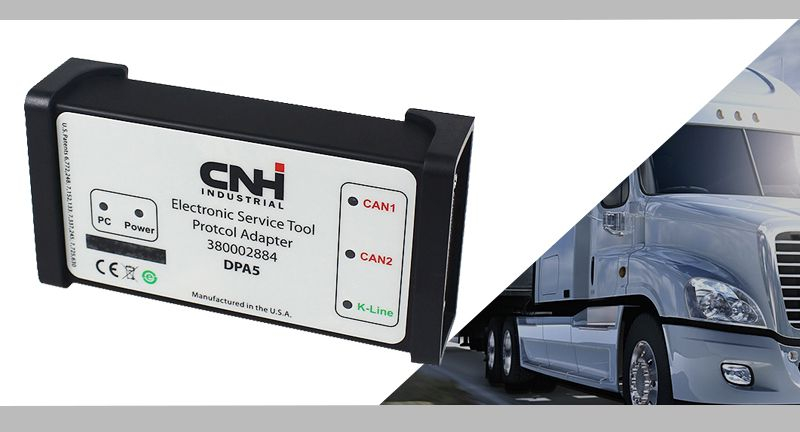
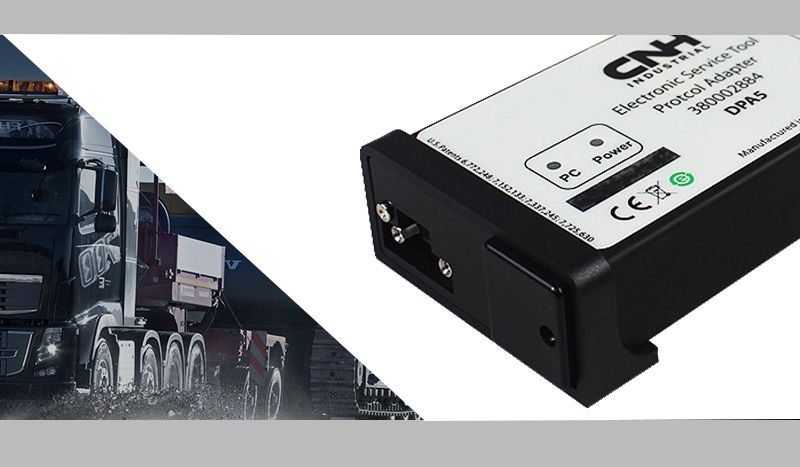
CNH DPA5 Kit Diagnostic Interface:

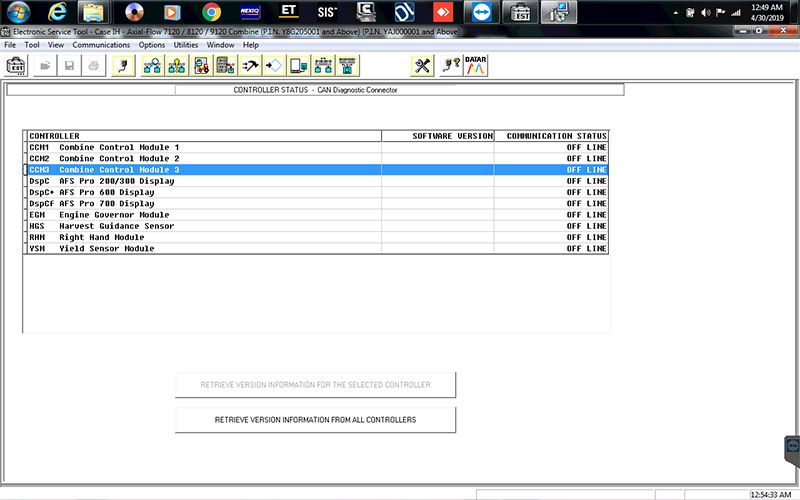
It’s working 2 CAN and Kline ( for diagnostic CASE and New Holland with IVECO Engine with EASY under EST
Heavy Duty Truck Scanner diagnostic tool CNH DPA5-2
Heavy Duty Truck Scanner diagnostic tool CNH DPA5-4

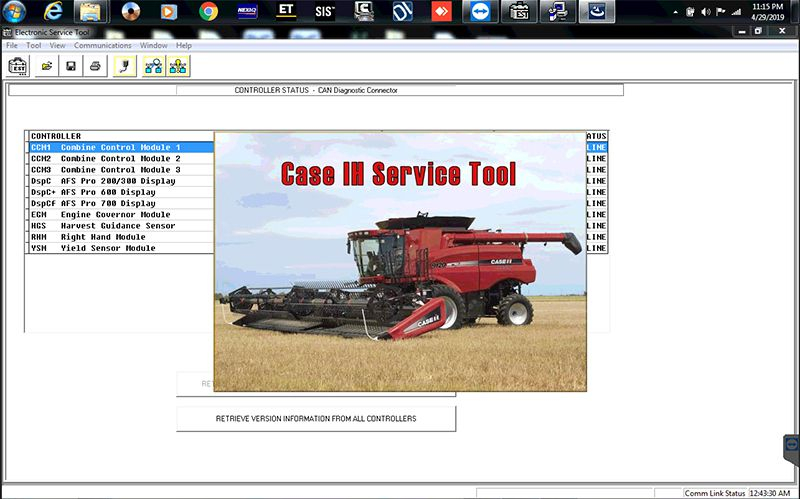
New Holland Electronic Service Tool CNH DPA5 Description:

Electronic Service Tool (EST) – used by dealership technicians to connect with machines that have a Controller Area Network (CAN) BUS as part of the electronic system architecture.

Supported Languages: English, Italian, Russian, Polish, Spanish, French, Portuguese, German, Dutch, Danish.


Operating System: WinXP, Win7 32bit/64bit, Win8 32bit/64bit


With CNH DPA5 Kit Diagnostic Interface This Service Tool You Can:

• Check status of parameters;

• Retrieve faults;

• Run diagnostic tests;

• Make ECU and parameter programming;

• Monitor active and logged diagnostics;

• View and change ECU configuration;

• View diagnostic procedures and schematics.

• Troubleshoot problems;

• Use asist database;

• Run scope diagnostics;

E.A.S.y – additional engine diagnostic and download tool for connection directly to ECU to perform diagnostic, programming and ECU reload by K-Line protocol.

 
CNH Engine Download Tool operates from within the EST program to perform the following engine download operations:

• Provide Engine Control Unit (ECU) programing update capability;

• Provide blank ECU initialization and programming capability;

• Provide ECU programming reassignment for blank and other ECUs;

• Provide ECU download crash recovery.

NOTE: This DPA5 can perform diagnostic, programming and ECU reload by K-Line protocol with E.A.S.y software for Iveco engines.

Supported Brands:

New Holland (Agriculture and Construction);

New Holland FK (Fi at-Kobelco);

New Holland O&K (Orenstein & Koppel);

CASE (Agriculture and Construction);

STEYR;

KOBE-LCO;

Iveco (Astra) (articulated dump trucks only);

Flexi-Coil;

Sumitomo (S.H.I.).

The software is 9.4 / 9.2 engineering level,CNH EST8.6 software is dealer level.engineering level has more functions than dealer level and CNH 9.4 9.2 is with diagnostic procedure.

CNH DPA5 Software Display:

Heavy Duty Truck Scanner diagnostic tool CNH DPA5-9

Heavy Duty Truck Scanner diagnostic tool CNH DPA5-10

NOTE:
1.If you choose CNH EST 8.6 Dealer Level Software, we will provide you with a registration machine, and you can activate the software yourself

Attention : you must keep your laptop system date to 2018-01 , the laptop without any antivirus software before install the software
2.If you choose CNH EST 9.4 9.2 Dealer Level Software for 1 PC activation (we will remote help you installation by team viewer) Full license

The software is 9.4 / 9.2 engineering level,CNH EST8.6 software is dealer level.engineering level has more functions than dealer level and CNH 9.4 9.2 is with diagnostic procedure.

For more information please visit our website sale@cnautotool.com

2021年12月23日星期四

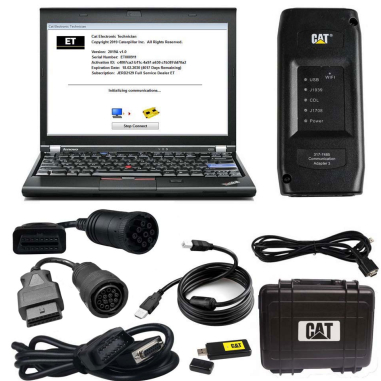
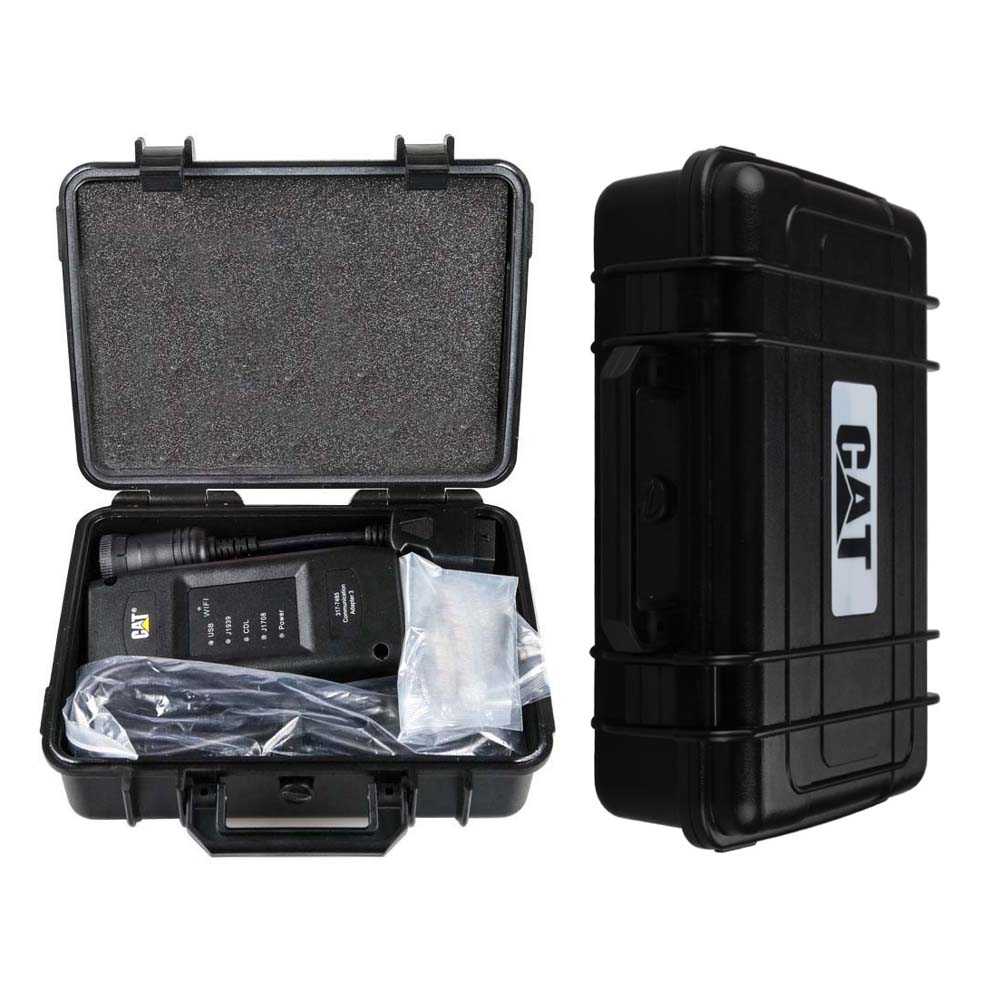
Best Quality 2021B CAT Caterpillar ET 3 Diagnostic Adapter III


Best Quality 2021B CAT Caterpillar ET 3 Diagnostic Adapter III CAT ET Diagnostic Tool PLUS Lenovo X220 Laptop With WIFI

Cat-caterpillar-ET-3-with-the-lenovo-x220-laptop

The old bluetooth cat et adapter iii have stopped production .the new cat caterpillar ET Diagnostic interface adapter will instead of it .

The Cat caterpillar ET 3 with the lenovo x220 laptop with wifi , We will install the software before ship, so you can get it work directly after you receive it.

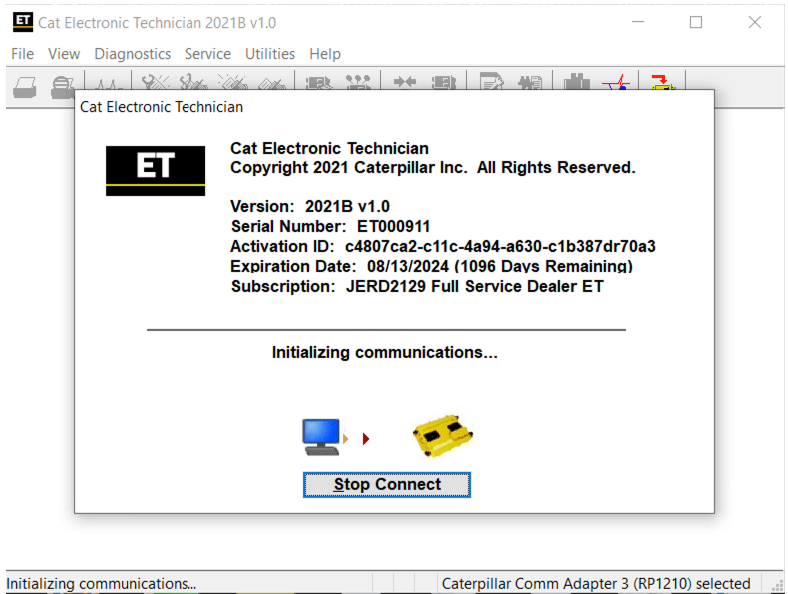
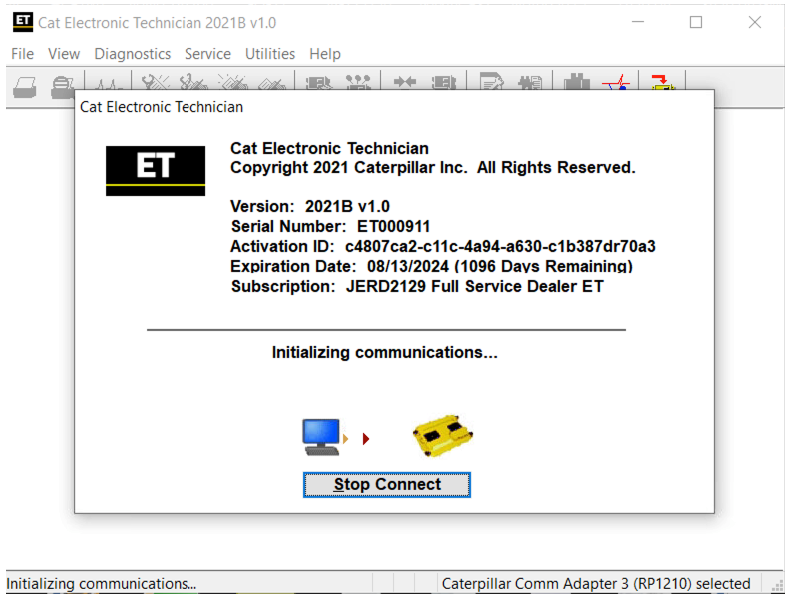
Cat et Caterpillar Electronic Technician2021B

Support:WIFI

Software version: 2021B

2021B is an upgraded version of 2020A , A represents the first quarter, and C is the software updated in the third quarter.

Support Multi-languages:English, Chinese, Danish, French, German, Italian, Japanese, Portuguese, Russian, Spanish
Support All cars of CAT

Caterpillar ET Software Function:
This diagnostic app allows you to:
View active and logged diagnostics.
View events where irregularities occurred and were logged by the ECM.
View the status of a group of parameters (temperatures, pressures, etc.) simultaneously.
Record and log performance data.
Graph a group of status parameters.
View the current configuration of an ECM.
Change ECM configurations.
Perform diagnostic tests.
Perform calibrations.
Print reports and diagnostic results.


Features
Display, graph and log status parameters.
Retrieve prognostic data including histograms, engine totals for fuel used and miles traveled.
View active diagnostics and clear logged diagnostics. View events where irregularities have occurred and have been logged by the ECM.
Perform calibrations to enhance performance of the ECM.
Customize the ECM with application-specific settings.
Over 100 custom Diagnostic, Information and Service features including:
- 2D and 3D Histogram plotting capability (engine software
support required).
- Custom Status screen groups
- Snapshots (Download and display snapshot data recorded by the
ECM)
- Configuration Aid that allows upload/download of same
configuration to multiple control modules

Customised Service Tool Options
Customized service tool name
Customized graphics for the splash screen and icons
Customized installation
Aftermarket differentiation, i.e., the tool for one customer does not work on the product of another customer.
Licensing options for customer management
Flash programming of the ECM(s)
Training demonstration allows familiarity with the tool's primary functions without connecting to ECM(s)

Perform customized diagnostic tests to identify harness problems, cylinder or component failures (Automatic Cylinder Cutout with cylinder to cylinder fueling comparison)

Caterpillar electronic technician 2020B with WinFlash future is an updated version of the caterpillar dealer diagnostic software that can help technicians to diagnose existing and potential problems with their electronically controlled Caterpillar Engines and Machines.

To get the vehicle information the Cat ET software must be connected to the Electronic Control Module (ECM). For this purpose, you need a suitable diagnostic link adapter (DLA), for instance, Genuine CAT Comm Adapter III

The list of supported CAT machines and engines can be found below(if your vehicle is missing, please contact us we will double check):
Engines:
Electric Power
Electric Power Generation
Industrial
Marine Power Systems
Oil and Gas

Machines:
Articulated Trucks
Asphalt Pavers
Backhoe Loaders
Cold Planers
Compactors
Dozers
Drills
Excavators
Feller Bunchers
Forest Machines
Forwarders
Harvesters
Hydraulic Mining Shovels
Knuckleboom Loaders
Material Handlers
Motor Graders
Off-Highway Trucks
Pipelayers
Road Reclaimers
Site Prep Tractors
Skid Steer and Compact Track Loaders
Skidders
Telehandlers
Track Loaders
Underground - Hard Rock
Underground - Longwall
Underground - Room and Pillar
Utility Vehicles
Wheel Dozers
Wheel Excavators
Wheel Loaders
Wheel Tractor-Scrapers


If you want to learn more about the CAT Caterpillar ET 3 ,you can contact with us : sale@cnautotool.com

2021年12月19日星期日

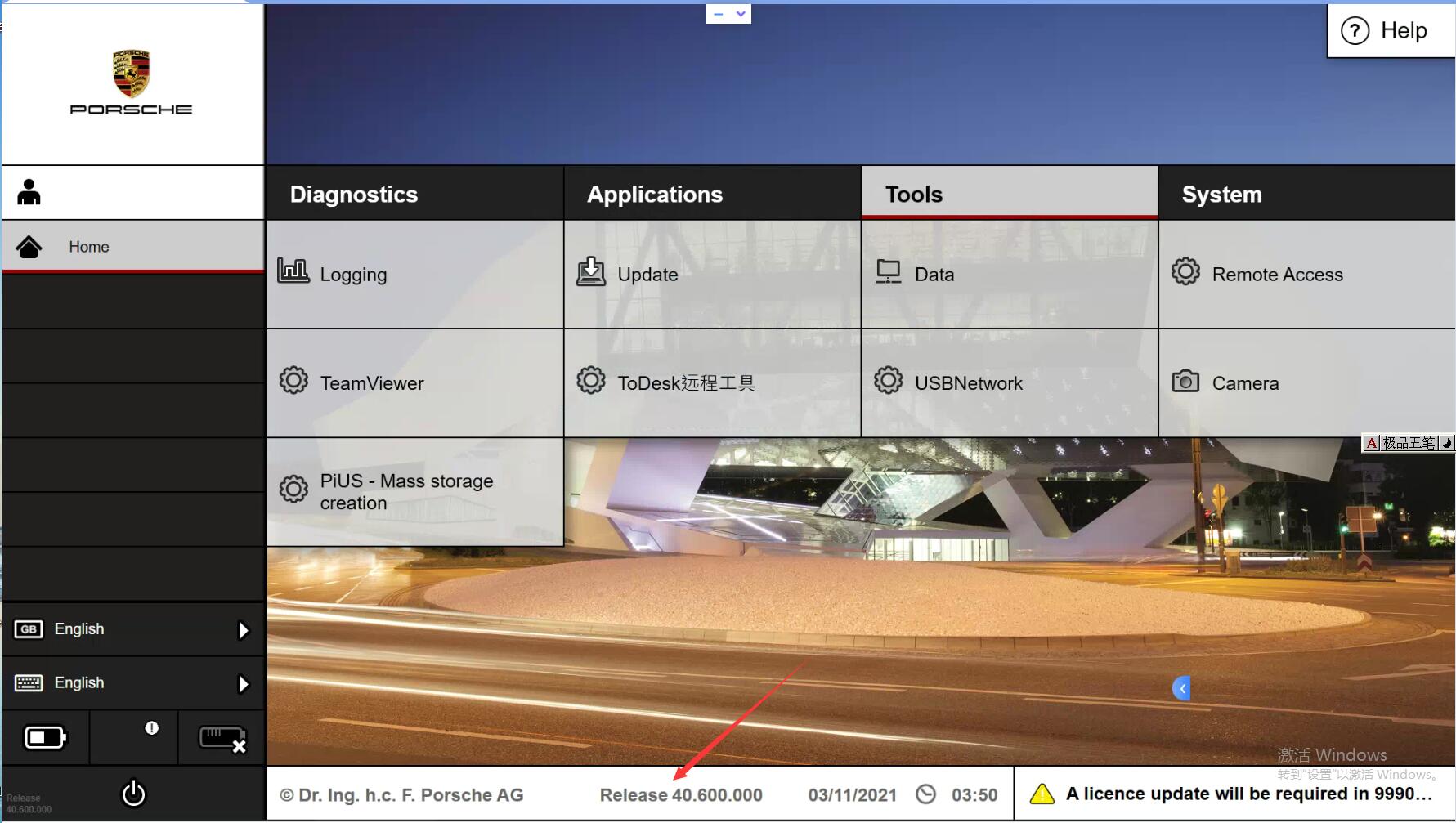
The new third generation Porsche diagnostic tool – Porsche Piwis 3 Diagnostic Tool Piwis III


Porsche Piwis Tester III is the newest fully operational diagnostic equipment based on PIWIS vehicle interface and Porsche software. Piwis Tester III provides exclusive support for Panamera G2, Cayenne E3 and all 2017 model range and above also provides legacy support for older models.

It is the new third generation Porsche diagnostic tool, it’s update to modern user interface, more faster performance, also have: license automatic update, online view of the technical documents, fault finding guide, online programming, faster and more efficient work.

Porsche PIWIS 3 40.6-1

1.Piwis 3 With V40.600 Piwis III Software for Porsche Cars diagnostic & Programming.
2.Piwis 3 with developer mode software & TeamViewer Installed Lenovo Laptop Ready To Use, cover all piwis 2 functions.
3.With New DoIP Ethernet diagnostic technology,Supports Porsche Models after 2002


Top 4 Reason to get Tester III Diagnostic Tool :
1. Exclusive support for P0rsche third generation diagnostic PIWIS 3
2. New DoIP Ethernet diagnostic technology
3. Luxury car diagnosis, ultra low threshold
4. Support Porsche Models after 2002.
Update method : Send SSD back or buy a new SSD
 

PIWIS III with Piwis 3 Software Details:
1. Software Version:
Dual System: V40.600 + V38.200

V40.600(with Engineering software support online programming,but you should have an online account)
V38.200(with Engineering software support offline programming)

Piwis III Latest Version V40.600+V38.200

2. Functions: Diagnosis and Programming
3. Update: By SSD
4. Connection: Via USB or Wifi
5. Support Vehicles: Support all Porsche till 2021
6. Password for Laptop: 123456
7. Multi-Language: German, English, US English, French, Italian, Spanish, Japanese, Chinese, Russia, Portuguese, Nederlands
Piwis III Supports New & Old Cars:
All Porsche from 1998-2021:
1.Porsche 911(997) (991)
2.Boxster/Cayman (987)
3.Cayenne up to MY 2010
4.Cayenne from MY 2011
5.Panamera

Especially the latest models:
1.Paramera (971) 2021
2.Caynenne (92A) 2021
3.Macan (95B) 2021
4.911 (991) 2021

Also support All Other Old car models

Porsche PIWIS TESTER PIWIS3 Features & Functions :
1. New operating system and more intuitive software interface
2. New VCI, support for models with DoIP diagnostics after 2017
3. Maintenance, repair, control unit replacement, programming code
4. Login online anti-theft matching programming
5. Guided fault finding
6. Maintenance circuit diagram view
7. Engineer mode (development version) can support special functions such as installing, modify, Flash.


Piwis Tester 3 Lenovo (Second Hand) laptop details:
Brand: LenovoBrand: Lenovo
Model: Lenovo Yoga12
Processor: i5 CPU, 5300U,8G RAM
SSD:256GB
Screen: Touch Screen

Package Listing :
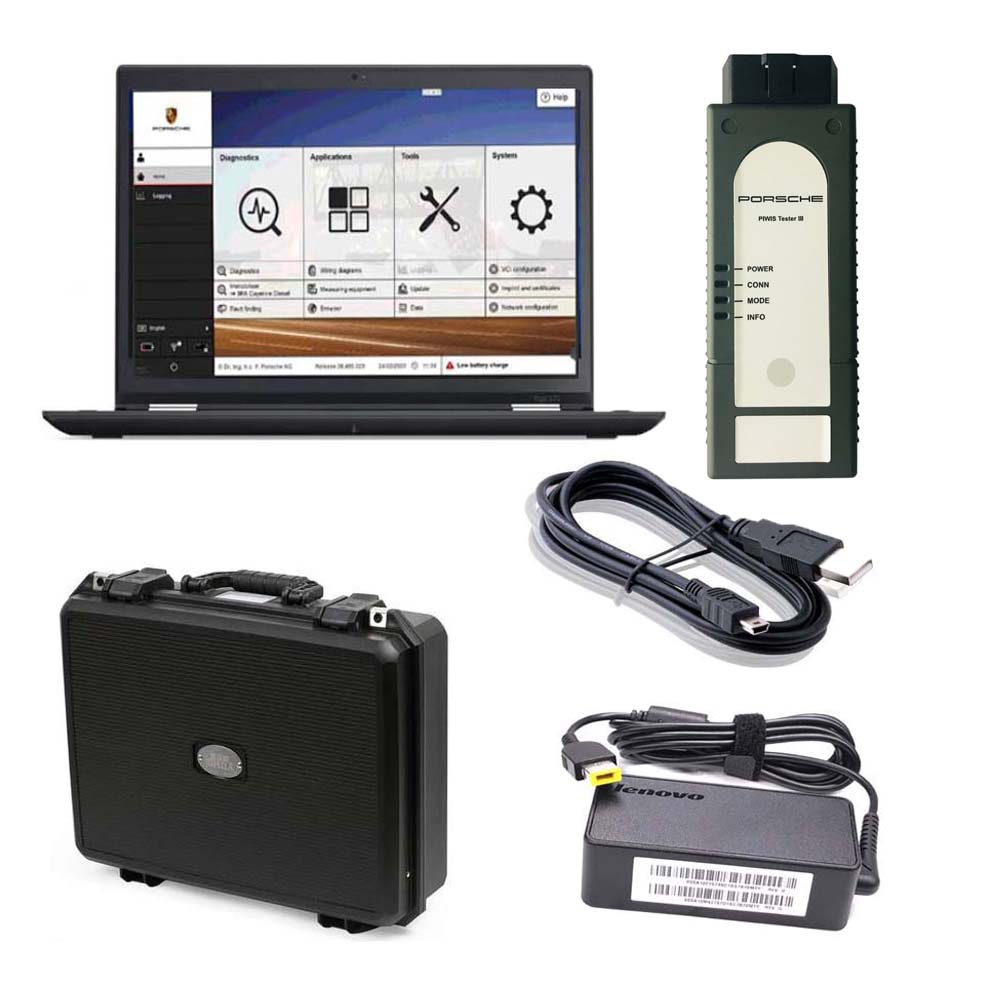
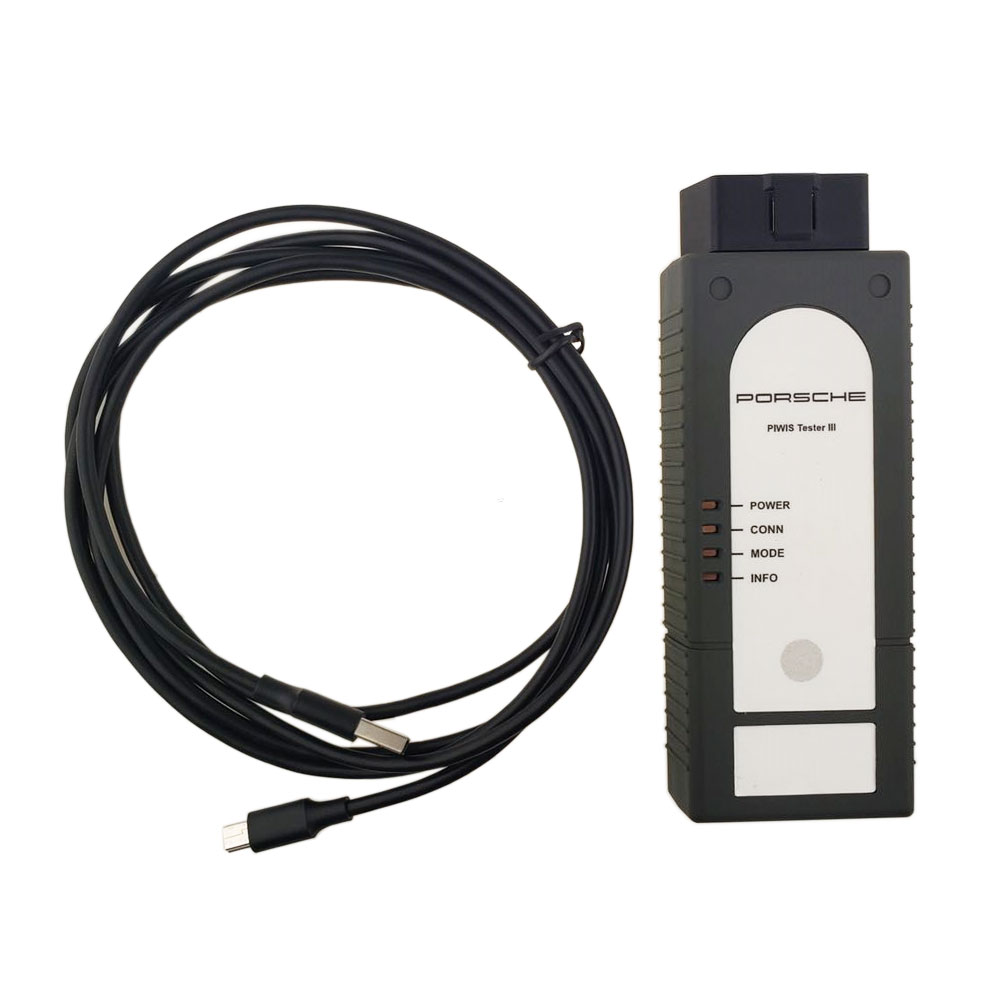
1× Piws 3 Tester
1× OBDII Cable
1× USB Cable
1× 256GB Software SSD
1× Lenovo S1 yoga12 I5 5300U 8GB

17-4 17-3 17-1

 
www.cnautotool.com

2021年12月18日星期六

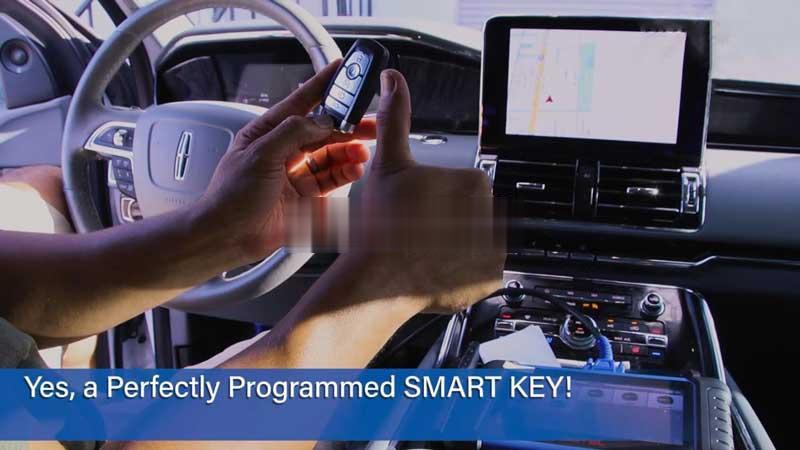
Autel IM608 IM508 Add 2021 Lincoln Navigator Key OK


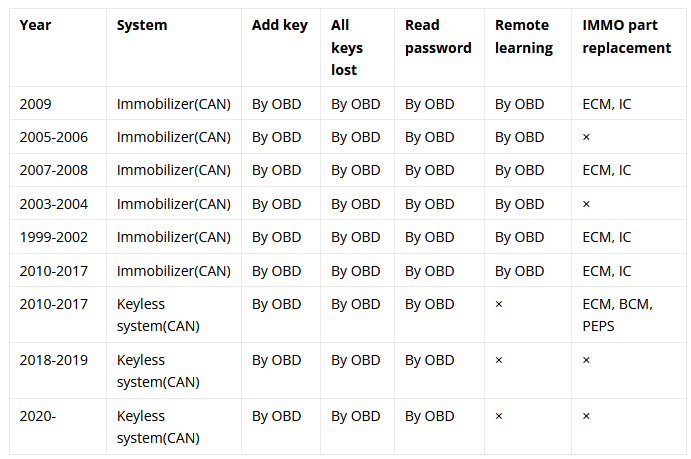
Autel MaxiIM IM608, IM508 Key Programmer can support to add 2021 Lincoln Navigator smart keys via OBD successfully. Moreover, all keys lost & read password are supported as well. More details please check car list below.

IM608 IM508 Lincoln Navigator IMMO Function Car List

Autel IM608 IM508 Add 2021 Lincoln Navigator Key OK-0

How to add a 2021 Lincoln Navigator Key with IM508?

Here’s taking Autel IM508 to program a keyless aftermarket key on 2021 Lincoln Navigator for reference.

Connect OBD cable to the port under driver-side dash, go access

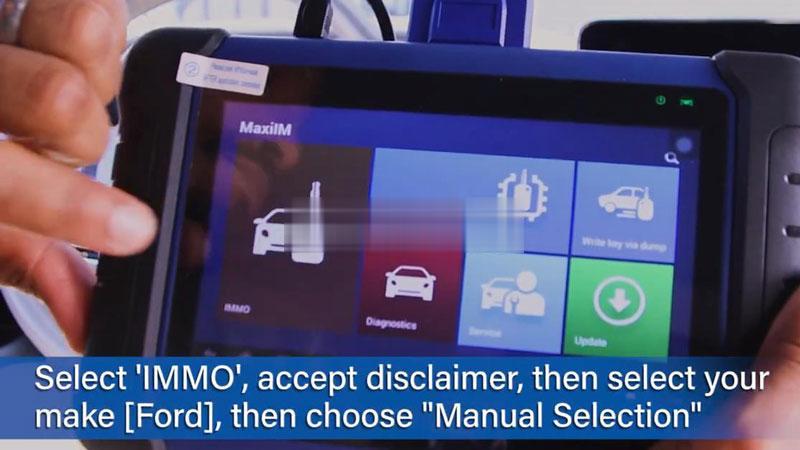
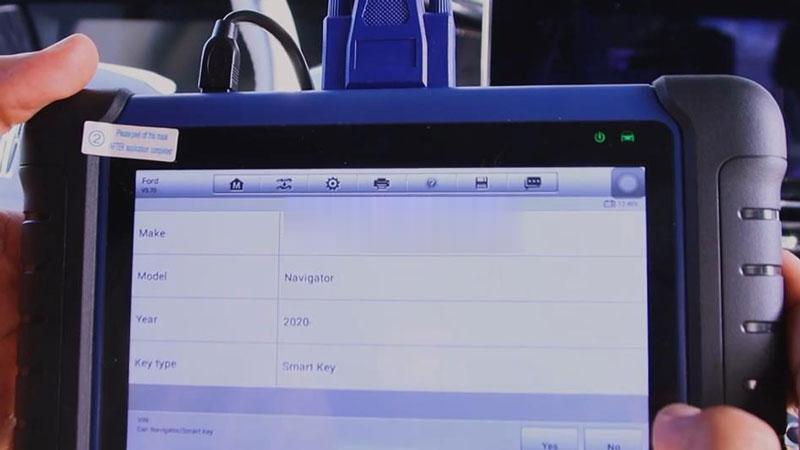
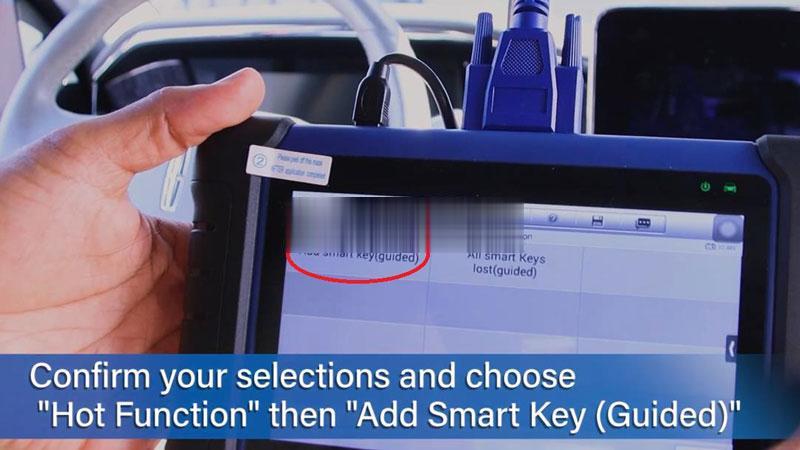
IMMO >> Accept >> Ford >> Manual selection >> Lincoln >> Navigator >> 2020- >> Smart key >> Yes >> Hot function >> Add smart key(guided) >> Start to begin

autel-im608-im508-add-2021-lincoln-navigator-key-ok-1 (2)
autel-im608-im508-add-2021-lincoln-navigator-key-ok-2 (2)
autel-im608-im508-add-2021-lincoln-navigator-key-ok-3 (2)
autel-im608-im508-add-2021-lincoln-navigator-key-ok-4 (2)

Read the notice, press “Yes”.

The function will not erase existing keys.

Specify vehicle alarm state(off/on).

Wait 10mins to bypass the security system…

Once complete, confirm number of keys in system and continue.

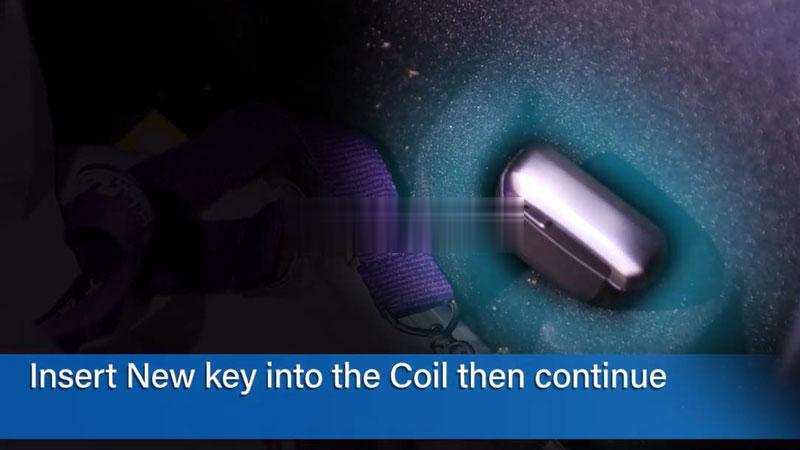
Insert the new key into key coil and continue.

(This vehicle key coil is in the Armrest box)

autel-im608-im508-add-2021-lincoln-navigator-key-ok-5 (2)

Key learned success!

Once learned, you can go on programming next one or exit directly.

Test the new key.

All functions work.

A perfectly programmed smart key has done.

autel-im608-im508-add-2021-lincoln-navigator-key-ok-6 (2)

Details :https://www.cnautotool.com/goods-6873-Autel-MaxiIM-IM608-Diagnostic-Key-Programming-and-ECU-Coding-Tool-Replaces-Auro-OtoSys-IM600–MX808IM.html
2021年12月1日星期三

How to solved Mercedes Star Diagnostic Xentry Das License Key is Corrupted


MB Star Diagnosis Software update to 2021.09 MB Star C4 SDConnect xentry software. Mercedes Star Diagnosis Software have Das license key is corrupted met by customer who order 2021.07 xentry diagnostic software. CnAutotool.com sharing Mercedes Star diagnosis Xentry Das license key is corrupted solution as following.
2021.09 Mercedes Star Diagnosis Software Xentry DAS Software for MB SD Connect C4/C5
solved Mercedes Star Diagnostic-1
Hello,
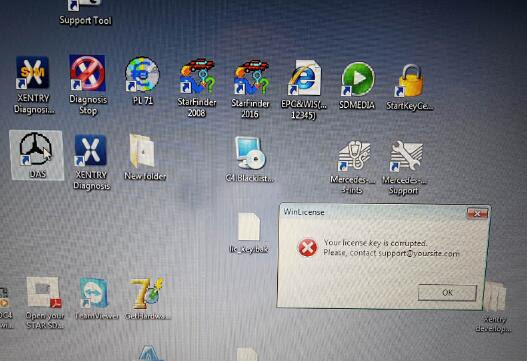
I got 07.2021 Xentry DAS Windows 7 software HDD is giving me the following massage:
winLicense
your license key is corrupted
please contact support@…
How to solved it? Any help can offer?
solved Mercedes Star Diagnostic-2
Best Regards
Technician have been check the error, this is DAS need activation.
Mercedes Benz Diagnostic Software Xentry Das license key is corrupted solution:
Xentry/DAS activation:
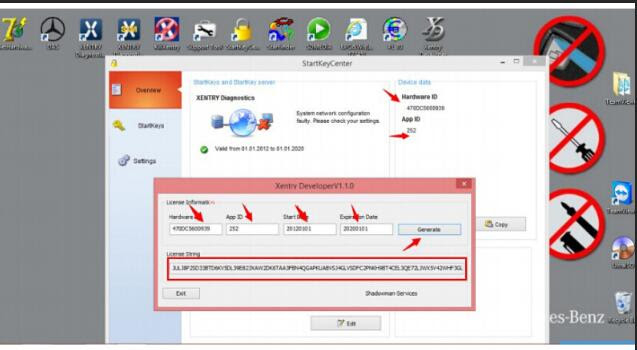
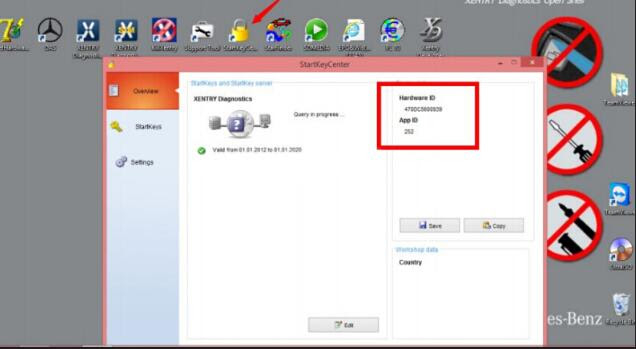
Step 1: Run StartKeyCenter to get ID for activation
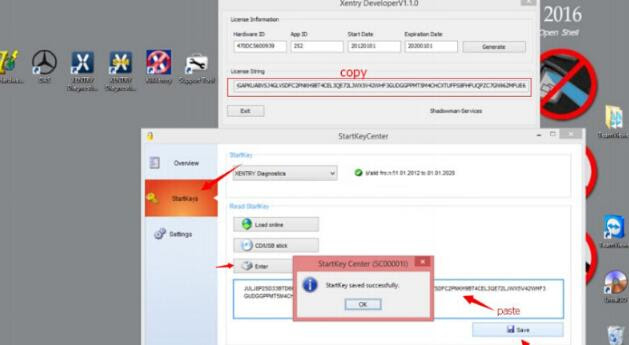
Open “StartKeyCenter” on Desktop, to get the SD connect c4 Hardware ID and App ID
solved Mercedes Star Diagnostic-3
Complete Licence information (Hardware ID, App ID, StartDay, ExpirationDay), then click “Generate” to get License String
solved Mercedes Star Diagnostic-4
Copy License String, then go to “StartKeys”, click “Enter” to read StartKey, then “Save” data
solved Mercedes Star Diagnostic-5
Step 2: Reactivate Xentry/DAS
Go to Local Disk C:/ ProgramData/ LicDir, the copy and paste “lic_key_2.dat”, re-name as “lic-key_2.x4711”
Xentry Your License key is corrupted 5 Mercedes Star Diagnostic Xentry Das License Key is Corrupted Solution
Setup Properties of “lic-key_2.x4711”, select Read-only
Then open XENTRY Diagnostics Openshell and close it
(NOTE: this avoids the activation code to be lost and reactivate XENTRY)
More question about Mercedes benz star diagnostic tool mb star c4 sd connect Xentry diagnostic software just keep your order number to contact us freely with sale@cnautotool.com .

2021年11月27日星期六

Cummins INLINE 7 Data Link Adapter Truck Diagnostic Tool

Cummins INLINE 7 Data Link Adapter-1

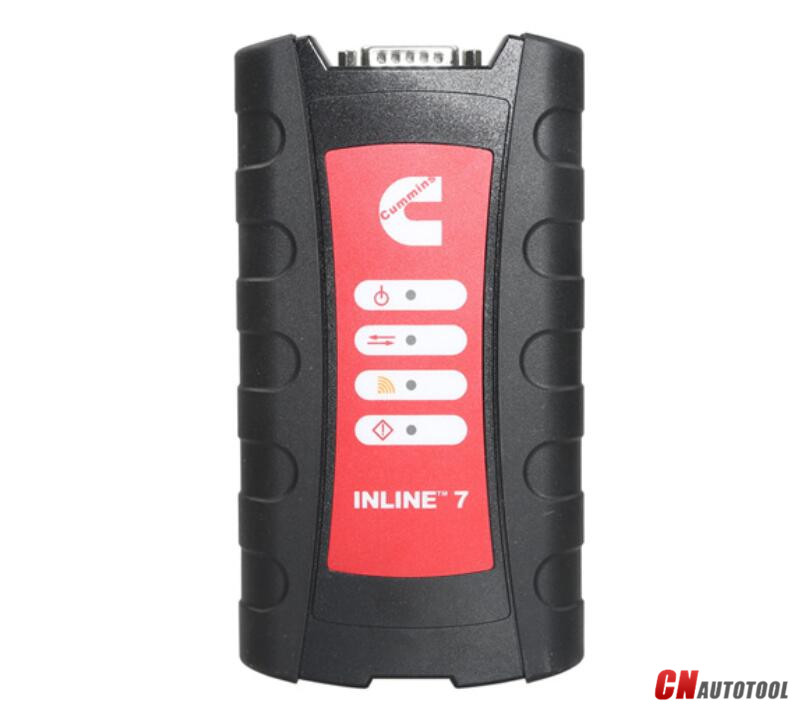
Cummins new INLINE 7 Data Link Adapter has a faster processor, more robust algorithms, larger memory buffers and more sophisticated filtering than previous models while simultaneously accessing multiple vehicle data channels.

Cummins new INLINE 7 Data Link Adapter has a faster processor, more robust algorithms, larger memory buffers and more sophisticated filtering than previous models while simultaneously accessing multiple vehicle data channels. INLINE 7 supports USB, WiFi and Bluetooth technologies in a single device. INLINE 7 communicates with your PC and is designed for future capability with mobile products.

The Cummins INLINE 7 Data Link Adapter is designed to function with a wide array of Cummins, OEM and third-party service and information tools, including the following:

Cummins INSITE
Cummins PowerSpec
Detroit Diesel Diagnostic Link
CAT Electronic Technician (On-Highway only)
Navistar® -ServiceMaxx Fleet Pro
Volvo PTT
VCAD Elite Mack/Volvo
V-Mac Service Tools
Allison DOC® For PC Service Tool
Allison DOC® for Fleets (1000/2000/3000/4000)
Eaton ServiceRanger
Bendix ACom
WABCO Toolbox
Freightliner ServiceLink
International DLB, Intune, and IPC v2.02
International ServiceMaxx
PF-Diagnosis
and many more!

The Cummins INLINE 7 data link adapter communicates with your PC using a Universal Serial Bus (USB) through a standard USB connector as well as through WiFi or Bluetooth. INLINE 7 is fully compliant with the Technology and Maintenance Council’s RP1210 standard and supports three simultaneous CAN connections and offers baud rates of 250k, 500k and 1 megabaud. INLINE 7 supports several other protocols such as J1708, J1587, ISO 15765, ISO 9141 (K and L line).

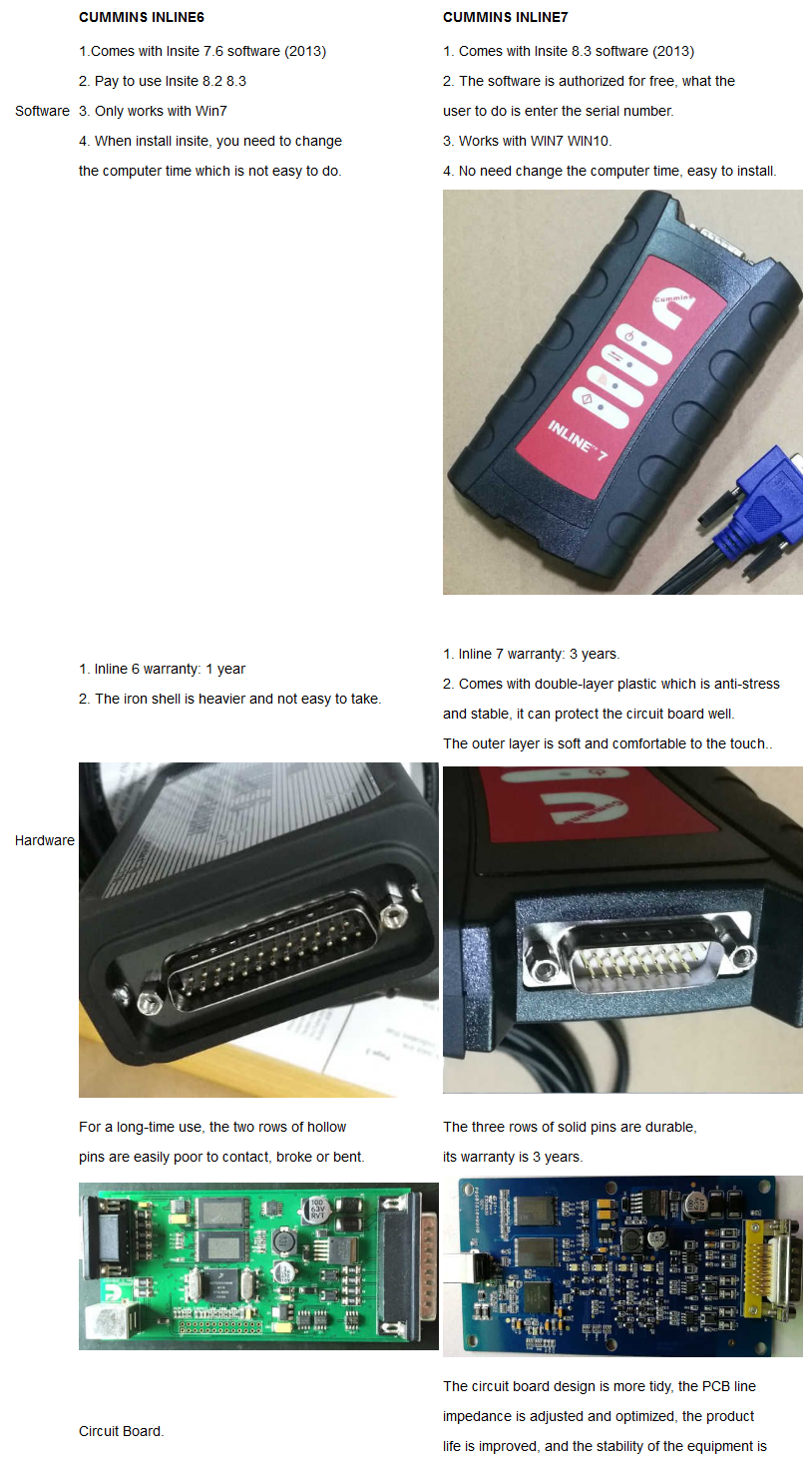
Cummins Inline 7 Data Link Adatper VS. Cummins Inline 6:

21-1

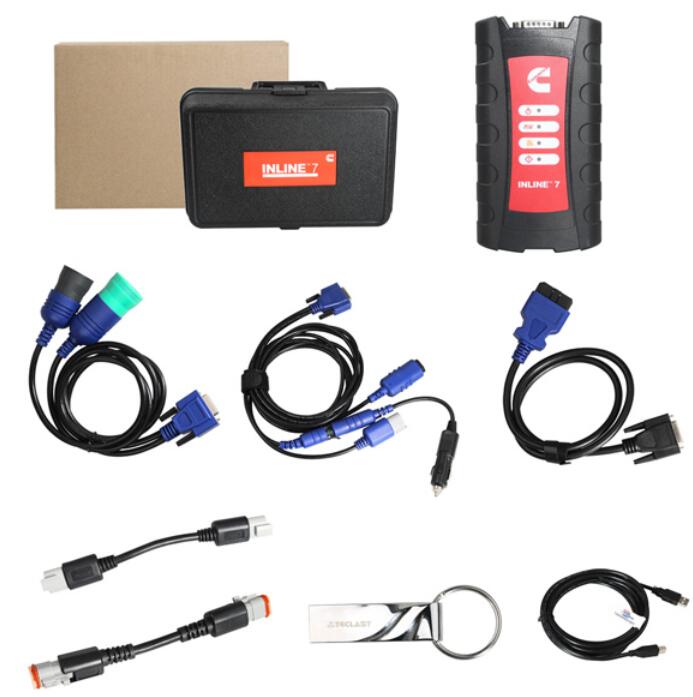
 Cummins INLINE 7 Package List:
1pc x Cummins INLINE 7 Data Link Adapter
1pc x DB26Pln-OBDll Cable
1pc x USB Cable
1pc x DB26/2Pin/3Pin Cable
1pc x DB26/9Pin Data Link Cable
1pc x 3Pin Connector
1pc x Software

1-2


If you have any problem, please do not hesitate to contact us with sale@cnautotool.com.

2021年11月24日星期三

About Piwis3 Engineering mode can perform


 Top 4 Reason to get Tester III Diagnostic Tool :
1. Exclusive support for P0rsche third generation diagnostic PIWIS 3
2. New DoIP Ethernet diagnostic technology
3. Luxury car diagnosis, ultra low threshold
4. Support Porsche Models after 2002.
Update method : Send SSD back or buy a new SSD

PIWIS III with Piwis 3 Software Details:
1. Software Version:
Dual System: V40.600 + V38.200

V40.600(with Engineering software support online programming,but you should have an online account)
V38.200(with Engineering software support offline programming)
NOTE:
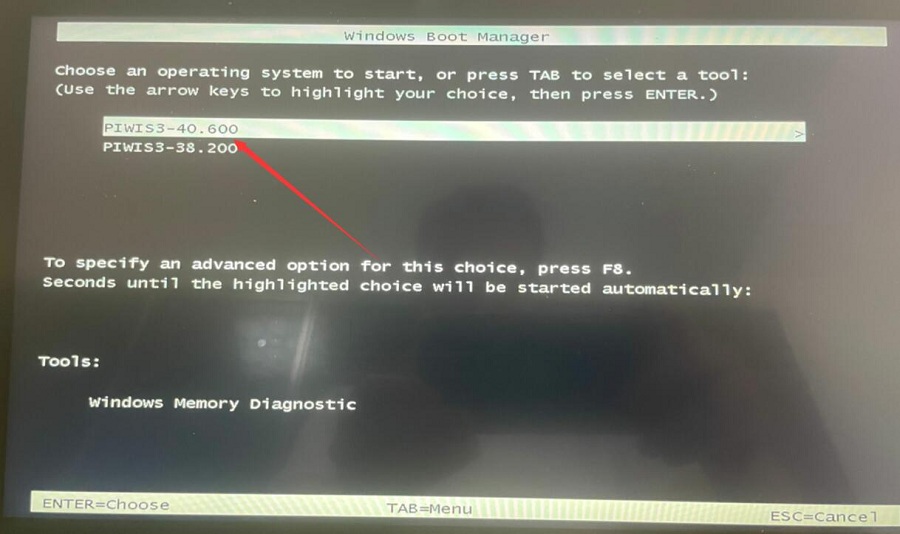
Lenovo Yoga with Dual system in one SSD, one system sofware is V40.600, another is V38.200, when your start the laptop, choose one software that you need, both software can be used.

2. Functions: Diagnosis and Programming
3. Update: By SSD
4. Connection: Via USB or Wifi
5. Support Vehicles: Support all Porsche till 2021
6. Password for Laptop: 123456
7. Multi-Language: German, English, US English, French, Italian, Spanish, Japanese, Chinese, Russia, Portuguese, Nederlands

Piwis III Supports New & Old Cars:
All Porsche from 1998-2021:
1.Porsche 911(997) (991)
2.Boxster/Cayman (987)
3.Cayenne up to MY 2010
4.Cayenne from MY 2011
5.Panamera

Especially the latest models:
1.Paramera (971) 2021
2.Caynenne (92A) 2021
3.Macan (95B) 2021
4.911 (991) 2021

Also support All Other Old car models

List of features that piwis3 Engineering mode can perform:

1.The power system of some models is updated. Compass and wave plate modification
2, Porsche PSE Retrofit
3, Porsche eject function activation
4, Porsche start-stop function close and open
5, Porsche airbag unlock, clear the crash data
6, Change the second-hand accessories, coding, parameters change
7, 981 \ 991 G value graph display, sports performance graph display, shift graph display
8 Porsche engineers computer programming, coding, write directly after parameter change
9 Porsche check engine light on off, seat belt warning light off, etc.
10 Porsche rear wing adjustment, active cruise control modification
11, Under normal circumstance, the Porsche Cayman old airbag ECU requires to change one new airbag after unlock, with the piwis3 engineering mode, you can directly unlock the old airbag without replacing a new one.
12. Irregular coding, regular coding, manually coding, automatically coding; change content is irregular coding, change model display.


Porsche Tester III Software details :

Porsche PIWIS 3 40.6-1

Porsche PIWIS 3 40.6-2

Porsche PIWIS 3 40.6-3

Porsche PIWIS 3 40.6-4

CnAutotool.com – Professional Auto Diagnostic Tools Supplier.If you have any problems, don’t hesitate to contact us, send email to sale@cnautotool.com. FREE, Professional & Unlimited Technical Support, Factory Price!

2021年11月18日星期四

How to Create New Caterpillar Injector Trim Files with CAT Caterpillar ET Diagnostic Adapter III?


26-2

Cat et Caterpillar Electronic Technician Software:
Brand: Caterpillar
Region: WorldWide
Support Multi-language:English, Chinese, Danish, French, German, Italian, Japanese, Portuguese, Russian, Spanish
Support All cars of CAT

2021B is an upgraded version of 2021A , A represents the first quarter, and C is the software updated in the third quarter.

2021B Cat ET software as Cat Caterpillar ET 2018C 2019A 2019C 2021A Software update version, 2021B Caterpillar Electronic Technician software With CAT ET 3 Cat caterpillar adapter 3 support caterpillar diagnostic till 2021.

Cat et Caterpillar Electronic Technician2021B

It is necessary to program injector for Caterpillar after replacement.And you need use related injector trim files to program them.

How to Create New Caterpillar Injector Trim Files?

Procedures:

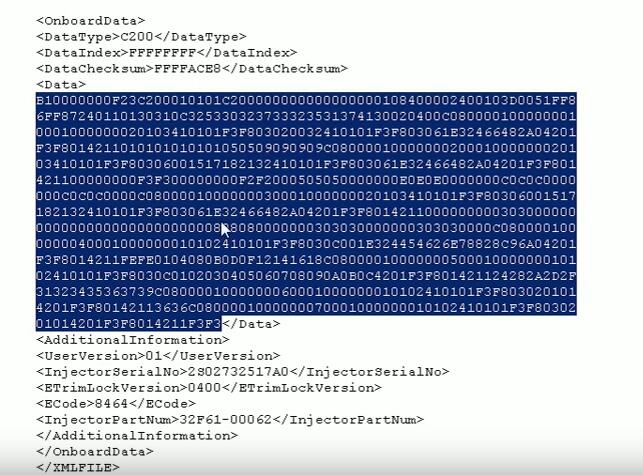
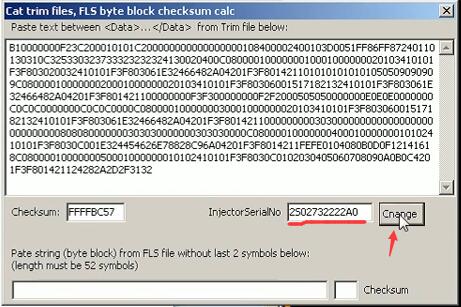
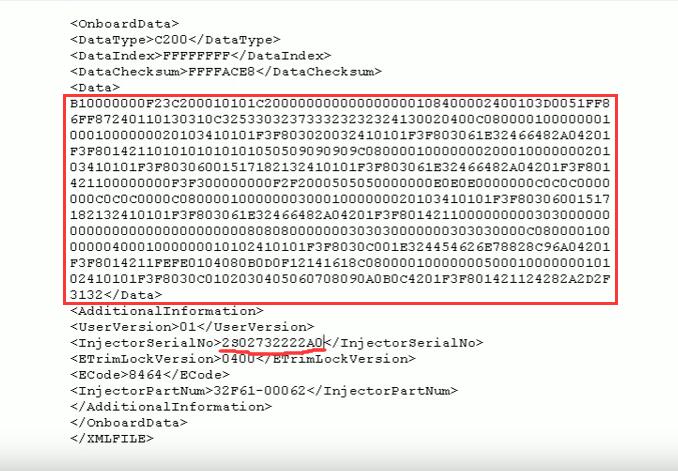
Open a trim file (also available read it by CAT ET diagnostic software) with txt

Copy the content from <Data>…</Data>

How to Create New Caterpillar Injector Trim Files-1

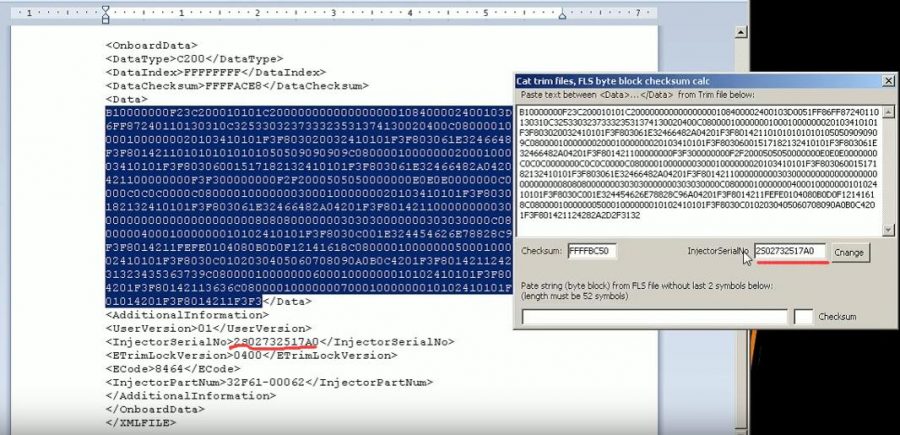
Paste it into CAT Trim File calculator

How to Create New Caterpillar Injector Trim Files-2

Here you can find the InjectorSeriaNo is same as the one in trim file

Now input new injector serial number then click “Change” button

Content between <Data>…</Data> will renew,now copy it and paste it into trim file

How to Create New Caterpillar Injector Trim Files-3

And change the InjectorSerialNo you input in the Cat trim file calculator

How to Create New Caterpillar Injector Trim Files-4

After then save this file and change the file format as .trm
5How to Create New Caterpillar Injector Trim Files-5
Now use CAT ET diagnostic software Service function to load this trim file to program injector.

Done!

www.cnautotool.com