显示标签为“John Deere Diagnostic tool”的博文。显示所有博文

2021年6月13日星期日

How to Solve John Deere Service Advisor Search Engine Error


2-4
(Solved) John Deere Service Advisor Search Engine Error
This is for anyone when he/she runs the John Deere Service Advisor, the system appears error message that the search engine module can not be loaded and then the program ends.

NOTE THAT YOU ARE TRYING ANY TRICK ON YOUR OWN RISK.

Optional solutions:

Solution 1:

Run as system administrator, roll back pc date reactivate using activator Then roll date back to normal date if error still renew once again. Been working for me so far.

Note that, don’t know how long it stay working but works im sure someone will have solution for it soon.

Also advice if doing fresh install roll back the date on pc do the install after then install and activations have been done.
Go to task manager look for the service adviser on have it start its tasks in 2030 :save and then reset your pc date should be good for while

Solution 2:

if you set a date before the lightweightidol license expired, start the lightweightidol service, set the real date and start Advisor, it works.

Solution 3:

start advisor. when error comes with “search engine” Close John Deere SA. afterwards set your PC date to feburary 2015. start SA again (run as administrator). it now comes with error on licence. close SA Again. set pc date back to normal. run SA Again. now it Works.

Solution 4:

The search engine error can be solved.
Set back the date, before the expiry date found in Service ADVISOR\SUIR\license.log (august 14 in my case). Start LightweightIDOL service. Set the real date, and Advisor working again.
I made a batch file to simplify it. To make it work Control Panel/Regional/short date format have to be yyyy-mm-dd or you have to modify batch. Maybe you have to modify ServiceADVISOR.exe path too in the batch. Have to run as administrator.

Solution 5:

I have had the same error with ssearch engine connection in JD SA.
reinstalled it twice, changed system date back and forward, run activator. No result for me.

But actually I found the solution for this issue.

Solution 6:

back date to 08.10.16
install JD SA, restart, activate, mount latest disk you have (05.2016) and install update, for finish get license error, ignore and close, set actualy date, run JD SA -> works fine, install july update

testing today on 3 laptops (Windows 7 and 10)

On a side note: procedure about turning off the updates don’t know how long it stay working but works im sure someone will have solution for it soon.

Also advice if doing fresh install roll back the date on pc do the install after then install and activations have been done.
goto task manager look for the service adviser on have it start its tasks in 2030 :save and then reset your pc date should be good for while Smile (SO TURN IT OFF IN TASKMANAGER SO IT STARTS 20 30 YEARS FROM NOW!!)

Fresh new installations also work but can be much more complicated sure a patch would be much easier. But it can be done with out a patch so far

In taskmanager I don’t stop any service just put service advisor updater to 2030 to start

also makes sure eculp.ini configurator reads like this

A valid ECULP License has been found

Licenses for the following modes have been found:
TestCell Programming
FinalEOL Programming
Service Programming
ECUCPP Programming Tool

All JD Components were found and properly licensed

JDEcu : Version 1.0 : 01-apr-2021
JDConfig : Version 1.0 : 01-apr-2021
JDData : Version 1.0 : 01-apr-2021
JDIntelHex : Version 1.0 : 01-apr-2021
JDPayloadReader : Version 1.0 : 01-apr-2021
JDPayloadProcessor : Version 1.0 : 01-apr-2021
ECULoaderProgram : Version 1.0 : 01-apr-2021
ECULP_TestCell : Version 1.0 : 01-apr-2021
ECULP_FinalEOL : Version 1.0 : 01-apr-2021
ECULP_Service : Version 1.0 : 01-apr-2021
ECULP_TestCell_OEM : Version 1.0 : 01-apr-2021
ECULP_FinalEOL_OEM : Version 1.0 : 01-apr-2021
ECULP_Service_OEM : Version 1.0 : 01-apr-2021
ECULP_ECUCPP : Version 1.0 : 01-apr-2021
ECULP_Direct_EOL_Output : Version 1.0 : 01-apr-2021
ECULP_OEM_DISTRIBUTOR : Version 1.0 : 01-apr-2021
Service_ADVISOR_Ag : Version 1.0 : 01-apr-2021
Service_ADVISOR_CF : Version 1.0 : 01-apr-2021


If you have any request , please send email to us sale@cnautotool.com

2021年3月22日星期一

The John Deere Service Advisor Construction and Forestry Equipment


Important Notice. Installation and activation are possible only with remote assistance using Teamviewer.

You are buying John Deere Service Advisor v5.2 for Construction and Forestry equipment online on USB HDD with international delivery or easy digital download! If you want to download the program. The download link along with PDF instruction file emailed to your email address within 2 hours (up to 12 hours in a weekend) of your purchase. If you would like the same software shipped to you on a USB HDD please select appropriate delivery method during checkout.

2-1

The Heavy Duty Truck Scanner John Deere Service Advisor combines several versions of the program. As well as a number of related programs and diagnostic equipment

For Agriculture division please check the John Deere Service Advisor 5.2 2018 Agriculture Equipment Division product link

Before you proceed, please check the product requirements below.
John Deere Service Advisor 5.2 System requirements:

– O.S.: Windows 7 Pro/Ultimate; Windows 8 Pro, Windows 8.1 Pro, Windows 10 Pro/Home
– CPU: Any CPU for Windows platform
– RAM: 8 GB of system memory (Recommended), 4 GB is the Minimum required amount.
– Hard Drive: 150 GB of available space + ~110 Gb for the setup files if you want to Download the software.

JD Service Advisor v5.2 support only Genuine JD EDL V3/V2 DLA Adapter kit (The previous version V2 USB and BT is also supported). If you’re using any other diagnostics tool we do not make any warranties

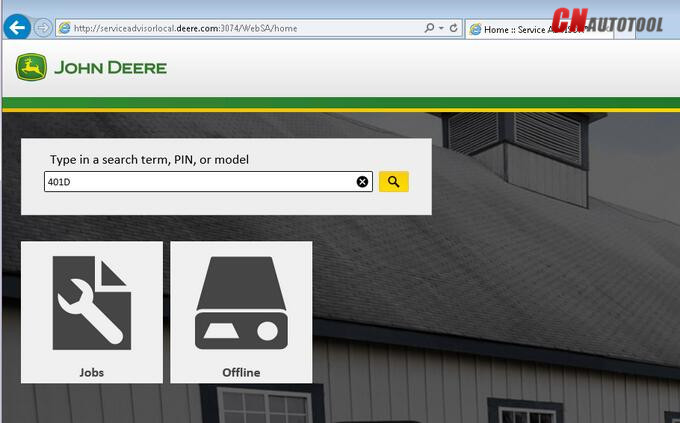
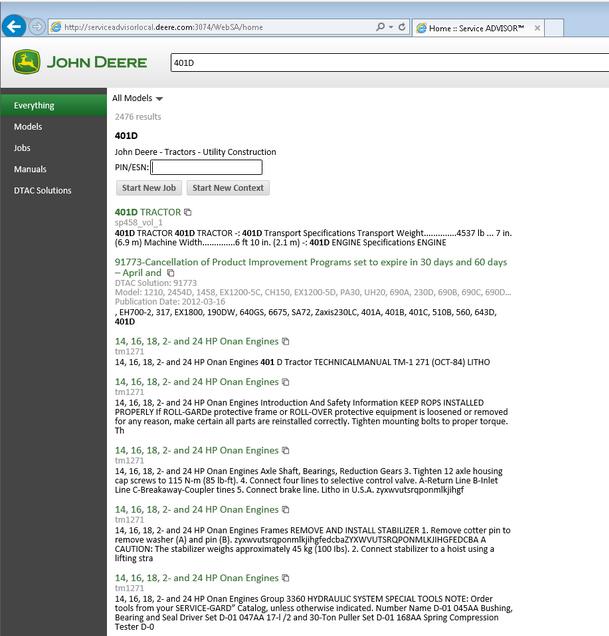
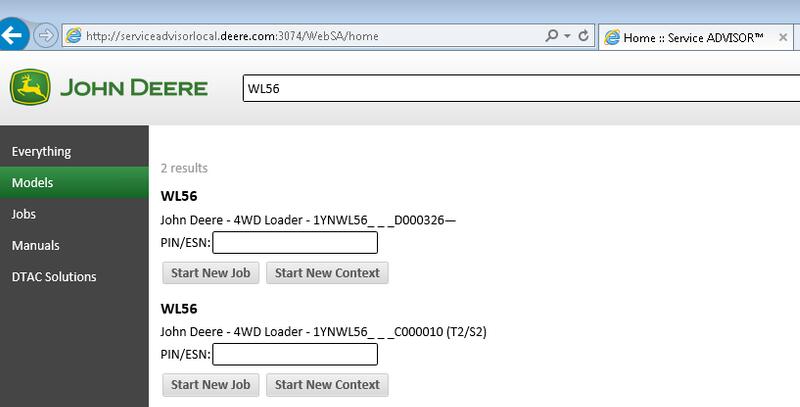
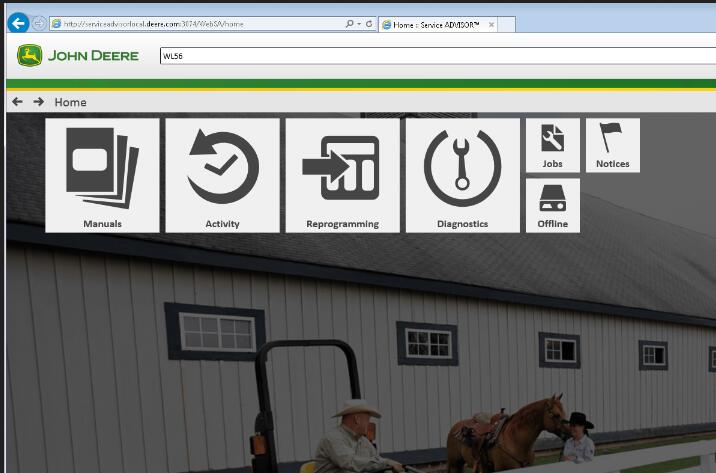
The new version of Service Advisor comes as a complete solution for those who do a repair, diagnostics, and maintenance of all John Deere construction and forestry equipment. It’s completely different from its previous version 4.2. JD Service Advisor functions are available from Internet Explorer Web browser. At this moment this is only one officially supported browser version. To start work with any model, you need to enter the model name or its PIN.

Available program futures divided into a few main sections: – Manuals – Reprogramming – Diagnostics

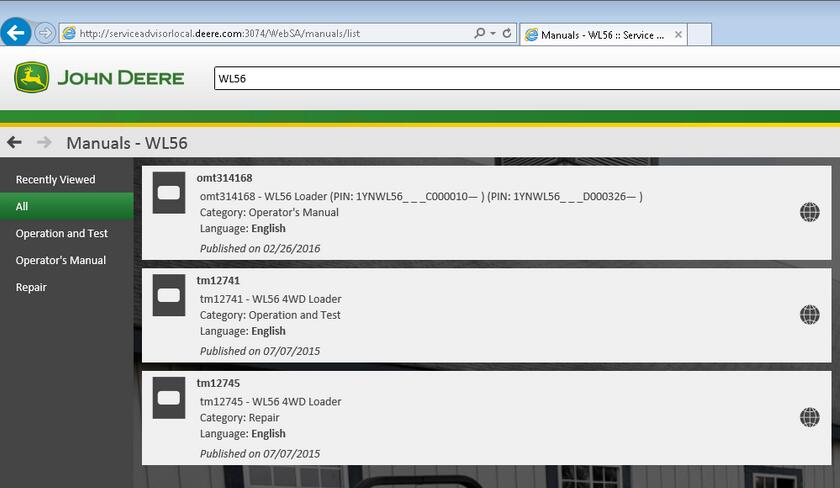
Manuals Section. First of all, most of the manuals now have a more convenient web interface and you can read/print all you want using Internet Explorer. A part of the manual is still available as pdf files only. So you need Adobe Reader installed.

Reprogramming section requires dealer credentials to access the payload database. At this moment this future is not available.

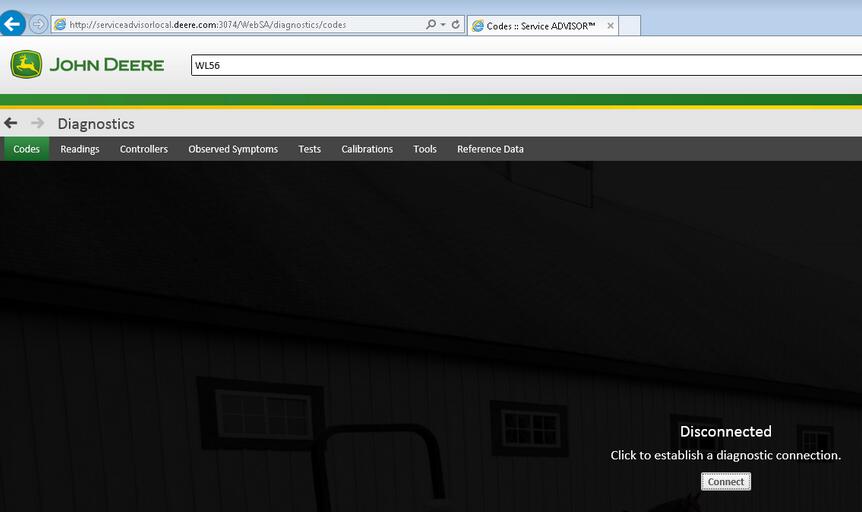
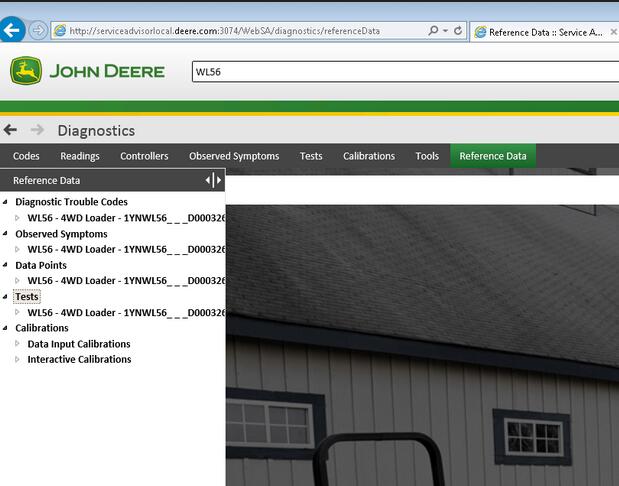
Diagnostics section. The avaiable menus are

– Codes – Readings – Controllers – Observed Symptoms – Tests – Calibrations

John Deere Service Advisor 5.2 covers:

4WD Loader
ADT
AG
Apollo Series
Axles
Backhoe
Boom Harvester
CF Management Solutions
Communication
Compact Excavator
Compact Loader
Crawler
Excavators
Feller Buncher
Felling Head
Forestry Swing Machine
Forwarder Wheeled
Harvester
Harvester Head
Landscape Loader
Log Loader
Logger
Mate. Hand Cut. and Shredders
Measuring System
Motor Grader
OEM Engines
OEM Winch
Other
PTO
Planetary Drive
Pump Drive
Scraper
Skid Steer
Skidder
Slasher
Software
Telematics
Tractor Loader
Tractors
Transmission
Truck
Utility Vehicles
Winch
Worksite Pro Attachment

Models on History DVDs:

4WD Loader
Backhoe
Compact Excavator
Compact Loader
Compactor
Crawler
Excavators
Feller Buncher
Forklift
Forwarder Wheeled
Harvester
Harvester Head
Log Loader
Logger
Motor Grader
Scraper
Skidder
Tractors
Tree Harvester
Truck

Screenshots for john deere edl  Construction and Forestry Equipment:
3-1
3-2
3-3
3-4
3-5
3-6
3-7

Our company provides for sale original spare part catalogs, workshop manuals, diagnostic software for all models of engines, cars, trucks, buses, forklifts, tractors, harvesters, cranes, buldozers, generators, construction and agricultural machines, motorcycles. To purchase a catalog online, please add the product to your cart, fill in the contact form online. Our managers proceed your order the same day.

2020年10月13日星期二

John Deere Equipment Diagnostic Scanner Fault Code Reader


Service and Maintain Your John Deere Machinery.

The John Deere diagnostic scanner enables you to read the fault codes that relate to the check engine light for your John Deere equipment. It works on all John Deere models listed in the drop down box above.

With the code reader, you can quickly find out trouble causes (troubleshooter) of electronically controlled systems on your equipment, by simply connecting the reader to the diagnostic socket, whilst reading the trouble code (DTC) shown on the device, and hence, identifying, locating and checking trouble causes.

The scanner covers tractors, loaders, bundlers, backhoes, compactors, excavators, harvester and many more, see in the description further below.

Code clearing with this heavy duty scanner will occur when the problem is fixed and it moves from active into stored. This will then be cleared after a number of key starts of the John Deere equipment.

Package Includes:
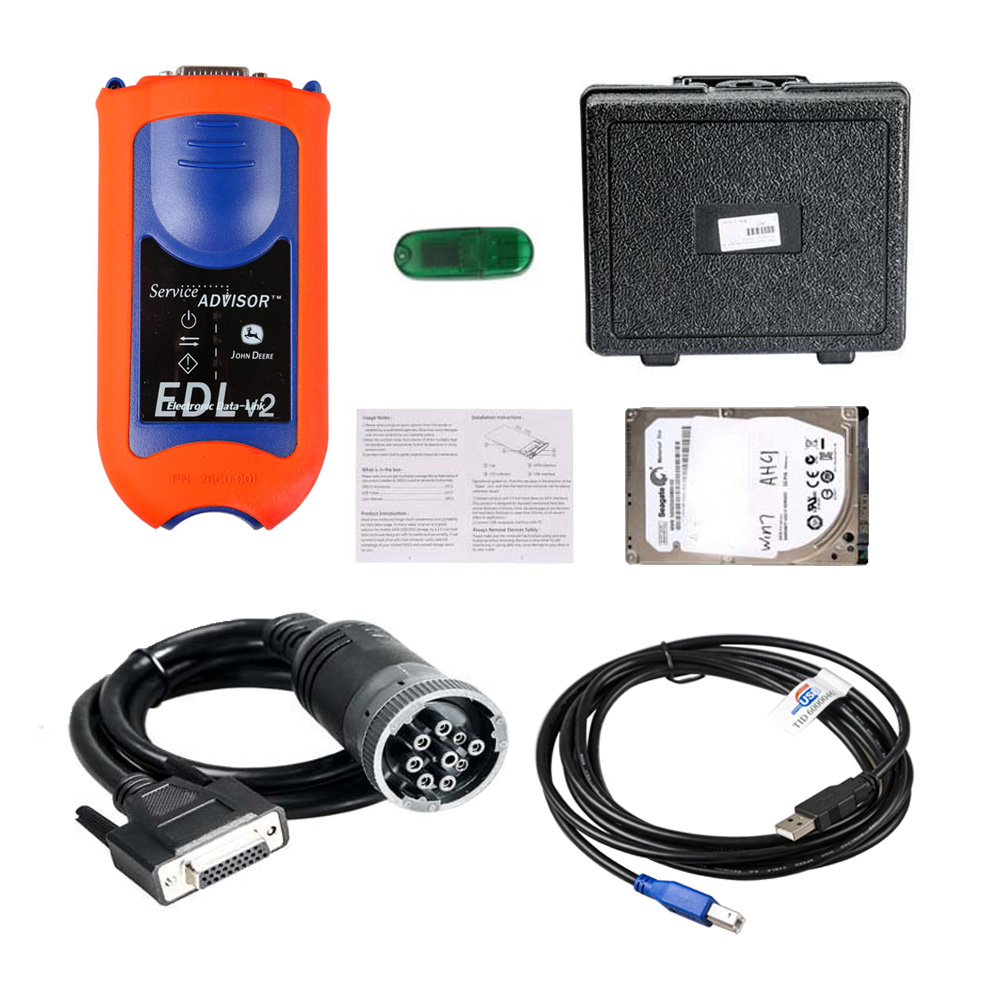
1 x Diagnostic tool
1 x USB cable
1 x User manual
1 x 6 pin connector
1 x 9 pin connector
1 x OBD2 connection
1 x Nylong carry bag

2-3

Choose your John Deere year and model from the drop down list above.

We ship free to U.S. Customers

Description

This Heavy Duty code reader for John Deere equipment enables you to read the fault codes that relate to the check engine light on your machinery. It will work with your specific equipment as listed in the drop down boxes above, so please select.

With this code reader, you can quickly find out trouble causes (troubleshooter) of electronically controlled systems on your equipment, by simply connecting the device to your equipment's diagnostic socket, whilst reading the trouble code (DTC) shown on the device, and hence, identifying, locating and checking trouble causes. Will cover troubles that your John Deere ECU is capable of handling, ranging from engine, O2 sensors, suspension, fuel system and more!

Features:

Reads Diagnostic Trouble Codes (DTCs)
Procedure for clearing codes detected
Supports multiple trouble code requests
Uniquely featured with battery power monitor function
Troubleshooting tips guide technicians to the root of problems faster, saving diagnosis and repair time
Highly reliable and accurate
Easy-to-read crystal-clear backlit 2-line LCD display
Easy to use with one plug-in
Read  PCM live data stream, with graphic data Display
Software upgrade via internet
Stand-alone unit with no need for an additional laptop / computers to operate
Small in size and conveniently fits in your palm and performs continuous DTC scans
Safely communicates with the on-board computer

Display DTC definition, freeze frame data, monitor and I/M readiness status (emissions), and vehicle information (VIN, CIN and CVN)

2020年7月24日星期五

Heavy Duty Scanner John Deere Service

1.What is John Deere Service Advisor(SA)?
1.1 John Deere Service Advisor 4.2 System requirements
1.2 John Deere Service Advisor 5.2 System requirements
2 What are John Deere (DTAC) solutions?
3 What is the difference between SA 4.2 and 5.2?
4 Available divisions of Service ADVISOR 4.2
5 Available divisions of Service ADVISOR 5.2
6 Where to buy John Deere Service ADVISOR Online?
7 How to install John Deere Service ADVISOR?
8 Shop John Deere Service ADVISOR
1.What is John Deere Service Advisor(SA)?
What is the first step in John Deere tractor repair and maintenance process? Of course, it’s dealer level repair and diagnostic software and hardware package  — John Deere Diagnostics Kit repair and diagnostic kit full version.  Good question: what is john deere service advisor? We got it covered!
John Deere Scanner-1
JD Service ADVISOR — is windows desktop application and diagnostic adapter kit which allows you: to connect with the vehicle and get maximum possible analysis from the error log, change some factory parameters, connect with the tractor and get maximum reasonable analysis such as:
Read diagnostic trouble codes,
Shift some factory parameters,
Make tests and calibrations,
Program controllers.
From the other hand, JD Service Advisor is a database of repair, technical manuals, diagnosis and test manuals and dealer technician assistance center (DTAC) solutions – DTAC is the way frequently asked questions are answered, and those answers are shared with Deere dealerships. Information that does not get into the current version of a manual or solutions to problems with equipment that needs to be shared with all dealerships is added to DTAC, so technicians have access to the most current information to service Deere equipment.
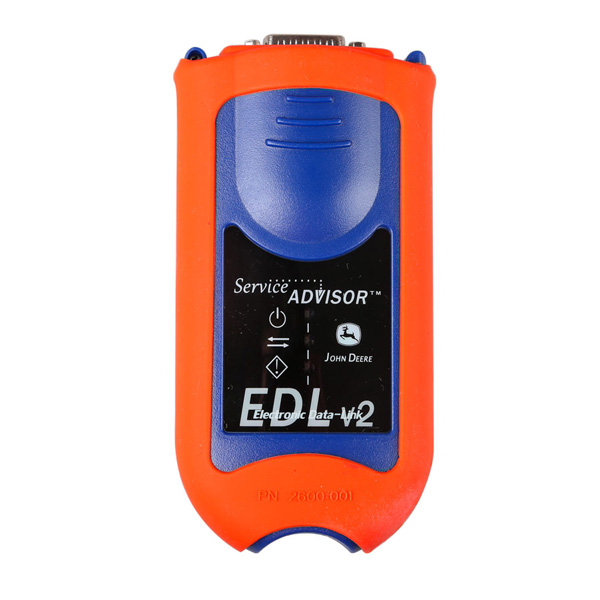
The second important part of Service Advisor John Deere diagnostic kit is an edl v2 adapter and cables. So you’re able to connect your PC / laptop with installed Service Advisor application to the tractor engine.
2 What are John Deere (DTAC) solutions?
There are two versions of JD Service Advisor available at the moment: 4.2 release – full offline desktop application – support for this version was discontinued in January 2017. System requirements of that version were much lower than for SA 5.2. It comes as Agricultural, Construction & Forestry, Commercial & Consumer, and Power Systems Equipment divisions. Each Division consists of actual models from 2000 release year and historical data from the 1950’s till the 2000 year. John Deere Service Advisor v5.2 is the version that completely replaced SA v4.2 starting 2017 year. Entirely new interface design with bigger system requirements. Currently available in two editions: Agriculture and Turf equipment, Construction and Forestry.
3 What is the difference between SA 4.2 and 5.2?
The main difference is that now SA 5.2 using web browser Internet Explorer instead of application shell which is more convenient for the most users. JD SA 5.2 is fully compatible with Windows 10 including EDL v2 KIT. JD Service Advisor 5 no longer needs DATA DVDs with models data or Historical information. All the files are available on a USB Stick or HDD and can be easily accessed via SA web search. So you no longer need to play with dozen DVDs to be able to get a proper manual or DTAC solution. On that note, I’d like to introduce you JS Service Advisors system requirements.
4 Available divisions of Service ADVISOR 4.2
John Deere Service Advisor 4.2 System requirements:
– O.S.: Windows XP; Windows Vista; Windows 7; Windows 8
– CPU: Pentium/Athlon 1.8 GHz or higher
– RAM: 256 MB of system memory
– Hard Drive: 10 GB of available space
– DVD-ROM(optionally)
5 Available divisions of Service ADVISOR 5.2
John Deere Service Advisor 5.2 System requirements:
– O.S.: Windows 7 Pro/Ultimate; Windows 8 Pro, Windows 8.1 Pro, Windows 10 Pro
– CPU: Any CPU for Windows platform
– RAM: 8 GB of system memory
– Hard Drive: 150 GB of available space
As you can see, the system requirements are significantly different. This information will help you choose in favor of 4.2 or 5.2 version.
Currently, there are four original versions of Heavy Duty Scanner John Deere Service ADVISOR 4.2 application:
John Deere Service Advisor 4 (4.2.005) Agricultural Equipment,
Construction & Forestry Equipment,
Commercial & Consumer Equipment,
Power Systems and OEM Engines
If you are interesting in John Deere Service, please visit our website:www.cnautotool.com