显示标签为“BWM ICOM NEXT”的博文。显示所有博文

2020年8月3日星期一

How to Setup BMW ICOM WIFI D-link?

The new version of BWM ICOM A2+B+C diagnostic & programming tool is equipped with WIFI and a router. Following easy and important steps leads you to the correct way on configuring ICOM WIFI USB D-link and enabling WIFI wireless function.
1.1
Computer Requirement:

Almost 95% laptops on the world with Intel chip (I3/I5/I7 series) and have 4GB memory
How to Install/Configure BMW ICOM USB WIFI D-link?

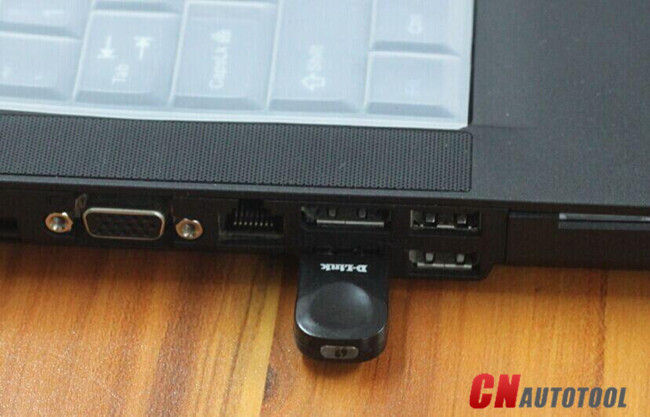
1. Insert WIFI USB D-link into the computer via USB port
1.2
2. Turn off the computer built-in WIFI or additional WIFI resources. Make sure only BMW ICOM WIFI USB exist on the computer. Meanwhile, disable both Internet network and local area connection.
3. Then power on computer.

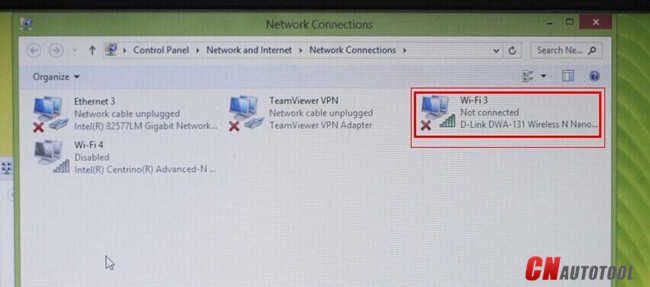
4. Open “Network Connections” program to check there is no other existing Internet and Local Area connection.

Note: Do not disable DWA-131 which is the ICOM WIFI USB. If it displays “X” mark, ignore it.
1.3
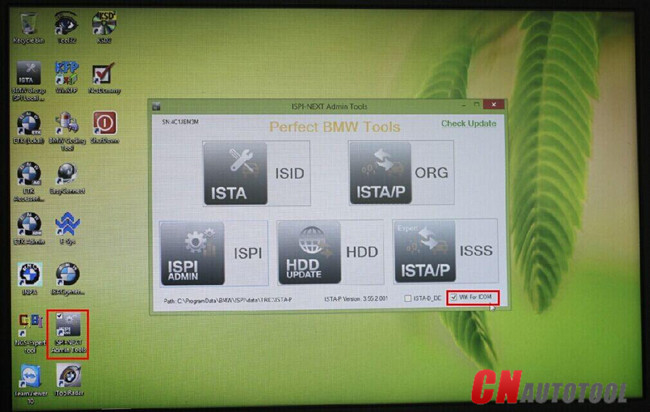
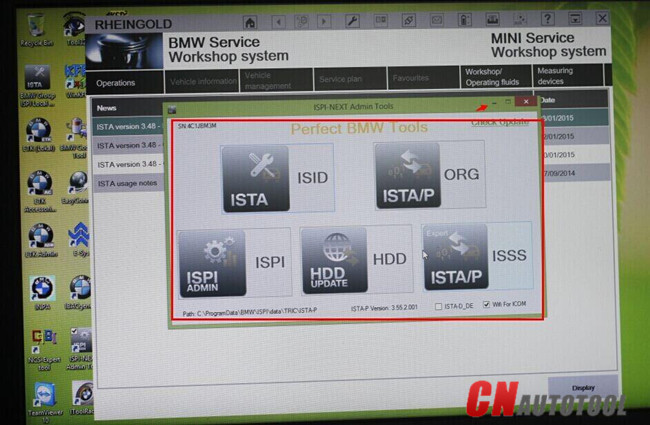
5. Run BMW ICOM Rheingold ISTA-D ISTA-P software, tick “WIFI for ICOM”
1.4
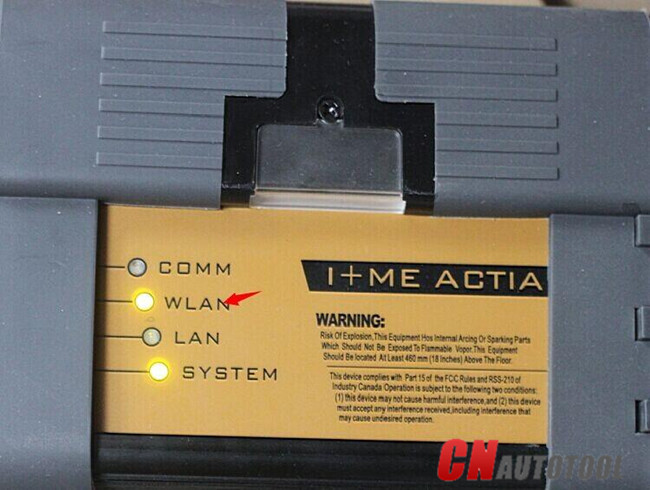
6. Connect BMW ICOM A2 emulator connector with vehicle. Wait 20-60 seconds until the BMW ICOM A2 WLAN indicator stops flashing or flashes slowly which indicates that well communication is built between WIFI USB adapter and BMW ICOM A2 WIFI.
1.5
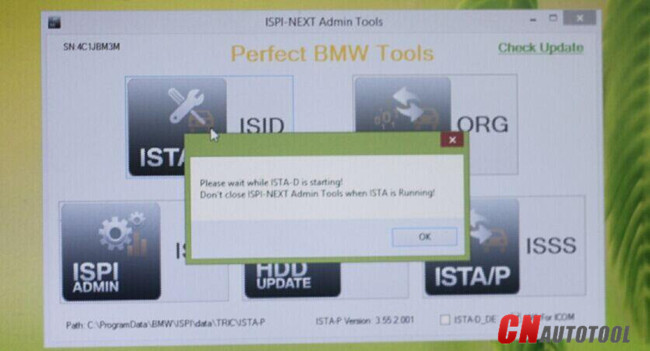
7. Start using BMW ICOM ISTA-D diagnostic or ISTA-P programming software. Press OK to continue.
1.6
8. The ISTA-D, ISTA-P, ISPI, ISSS etc program cannot be turn off, but only be miniaturized.
1.7
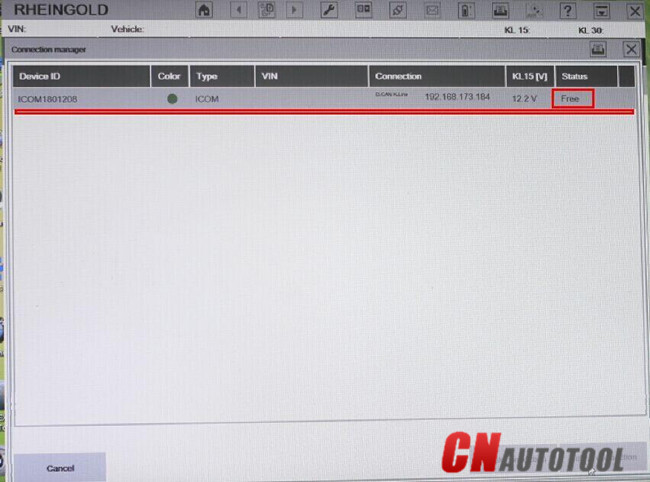
9. The WIFI BMW ICOM diagnostic system device is recognized by computer. WIFI wireless diagnostic and programming function are activated.
1.8


BMW ICOM A2 Diagnostic Tool With V2020.08 Engineers Software BMW Scan Tool Plus EVG7 Tablet PC Ready to Use
BMW ICOM NEXT BMW ICOM A2 A+B+C Plus Lenovo X220 I5 4GB Laptop V2020.08 Engineers Version Ready to Use

2019年2月16日星期六

ICOM NEXT A+B+C Special Features Compared with ICOM


2018.12V ICOM NEXT A+B+C Special Features Compared with ICOM:
1. The modified ICOM A2 for vehicles with OBD access receives a significantly more powerful processor and more storage capacity.
2. Robust aluminium case will help to avoid damage when using in harsh environments.
3. To protect the MOST connector, the ICOM B for vehicles with optical MOST access will be equipped with a soft cover made of rubber instead of the former plastic cap.
4. The ICOM C for old series with a diagnostics socket will be additionally equipped with an approx. 20 cm long cable, which facilitates the connection of the ICOM A2 and makes storage in the engine compartment easier.
5. BMW ICOM A2+B+C support BMW cars till 2018 year. Support BMW & MINI full system diagnose and offline programming.
 
ICOM NEXT A+B+C Functions:
 
1. A2 - OBD diagnostic supporting MOST, D-CAN and K-CAN protocols
2. B - diagnostic via MOST bus, and have connection to A-interface via USB connection.
3. C - 20-pin cable for old models.
 
EVG7 DL46 Specification:
Mark: EVG7
Model: DL46
OS: Win XP/7/8 (not included)
Processor: Intel Celeron 1037(Dual - 1.8Ghz/L3 2M)
DDR: The biggest support memory: 4GB
HDD: 500 GB SATA HDD. (Can support more than 1 TB capacity)
LCD: 10.4 Inch The resolution of the 1024x768
Graphics:
touchscreen widescreen LED backlight
The core graphics Intel HD Graphics
Speakers: Built-in Speakers
Wireless: 802.11b/g/n
LAN: The built-in 10-100M card
Bluetooth: BT2.0 , 4.0
USB: USB3.0 / Mini USB / 2 x USB2.0
Card Reader: TF Card Reader
Other Interface:
VGA Voice Input / The Sound Output /
DC Power Jack / Parallel LPT Port I/O
VGA Output
Battery Type: 9 The core of lithium batteries 10.08V 6600 mAh
Power Adapter: 110V-240V The adaptive communication power supply
Battery Life: The specific time depending on the use environment
Specifications: 270x180x60 mm
weight: 1911g (with battery)
Certificates: CE / FCC /  RoHS

Package List:
1 x Whole set of WIFI BWM ICOM NEXT 
1 x Whole set of  EVG7 Tablet PC
1 x V2018.12 software HDD