显示标签为“Launch X431 Pro Mini Bluetooth”的博文。显示所有博文

2021年9月20日星期一

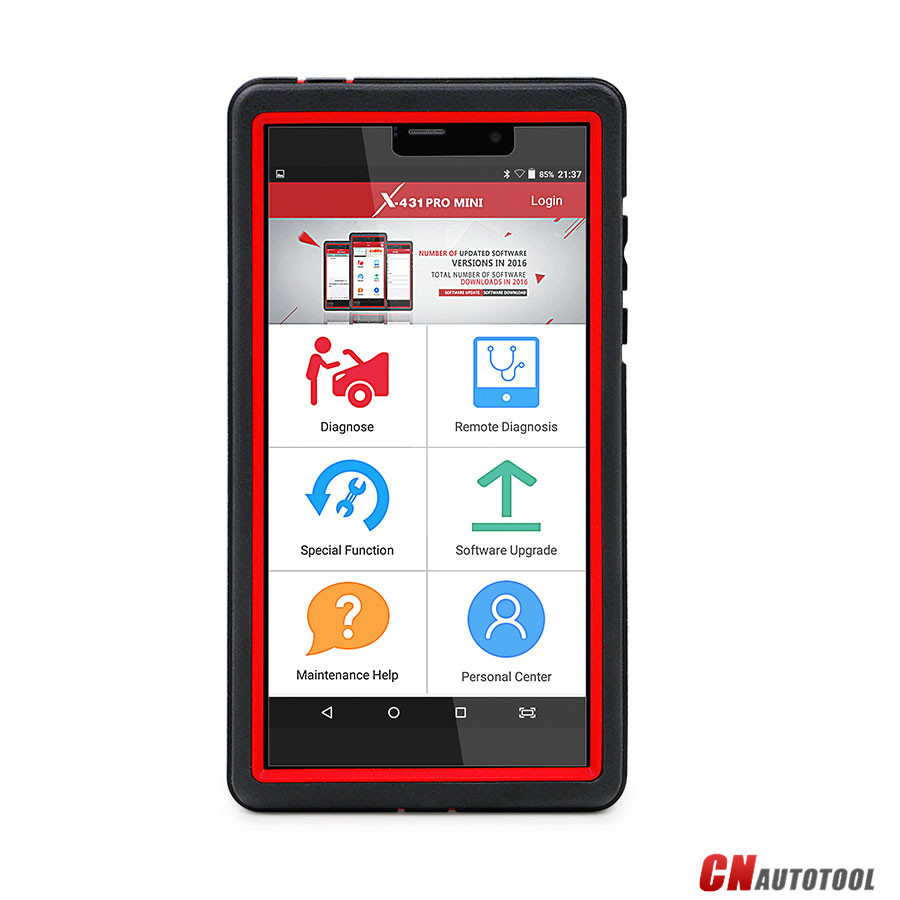
Launch X-431 PRO MINI Produce Details


Launch X-431 PRO MINI Description: 
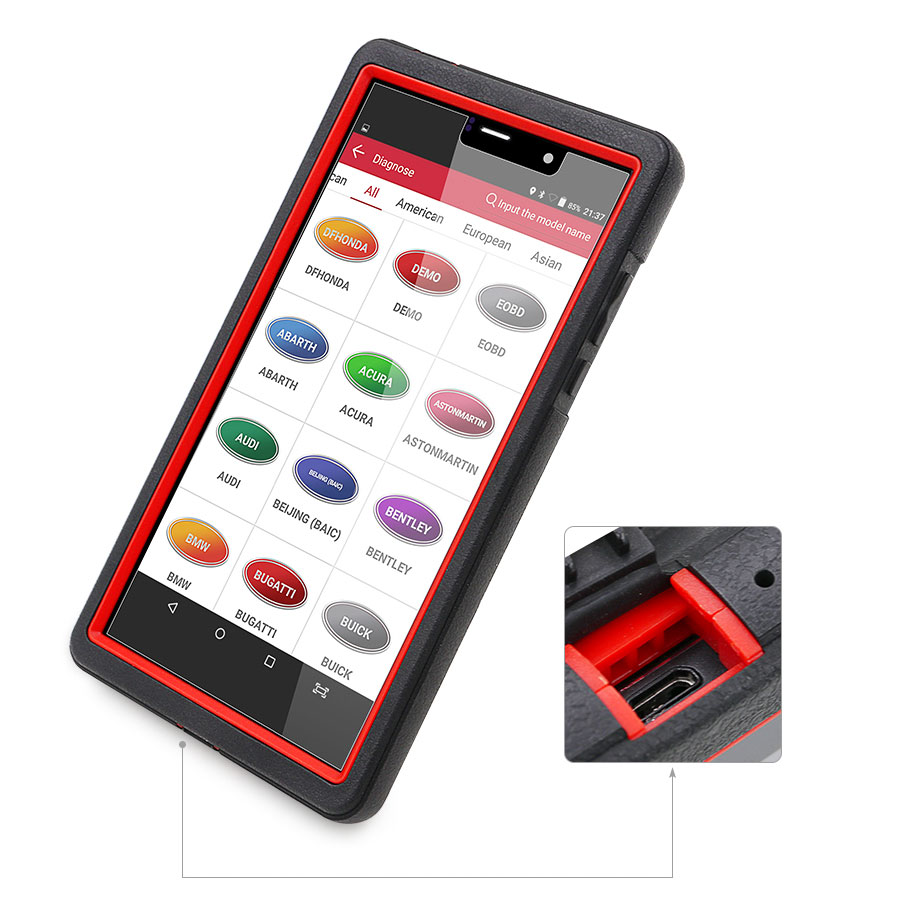
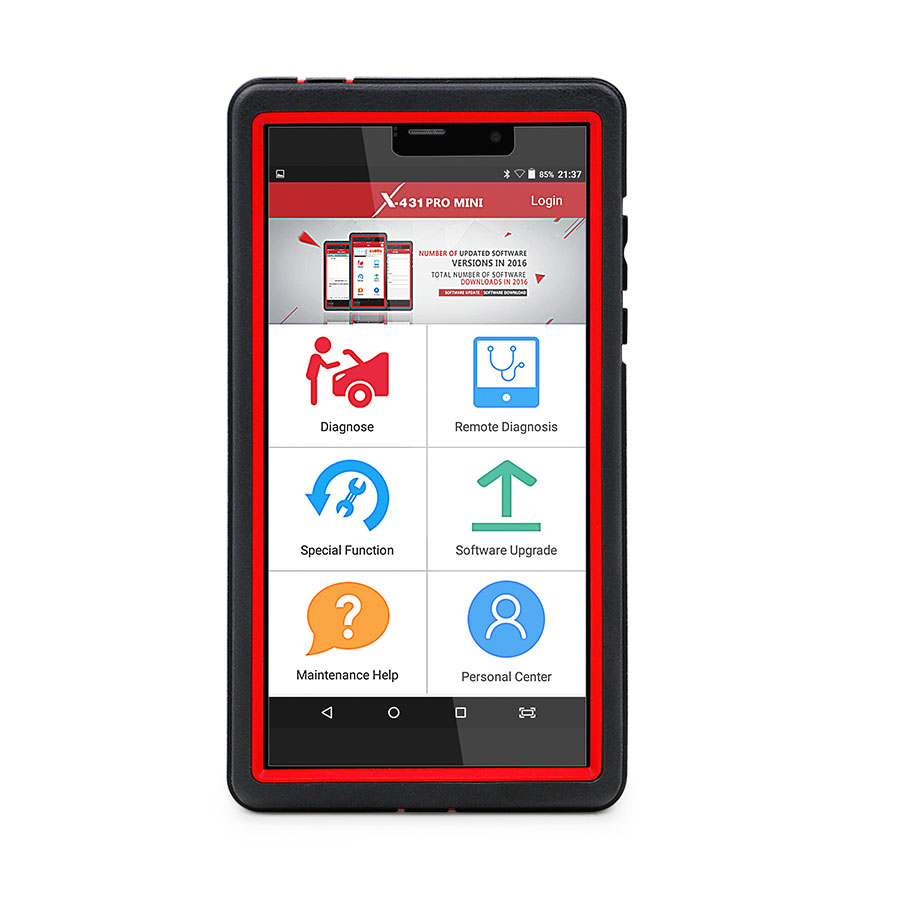
X431 PRO MINI is a stylish Android-based vehicle trouble diagnostic tool. It inherits from LAUNCH’s advanced diagnosing technology and is characterized by covering a wide range of vehicles, featuring powerful functions, and providing precise test result.

Through the simple Bluetooth communication between the VCI module and X-431 PRO MINI, it achieves full car model and full system vehicle trouble diagnosis, which includes Reading DTCs, Clearing DTCs, Reading Data Stream,Actuation Test and Special Functions.
Moreover, it supports Wi-Fi connection, which enables you surf the Internet,update the diagnostic software online and perform remote diagnosis etc, getting your job fixed faster and easier.

1.1

X-431 PRO MINI whole set: X-431 PRO MINI is mainly composed of an X-431 PRO MINI handset, and a DBSCar II VCI module.

Launch x431 pro mini Diagnostic Tool-3
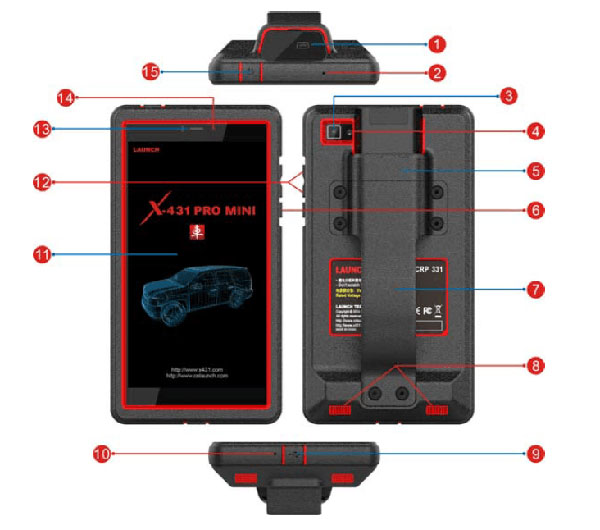
Launch x431 pro mini Diagnostic Tool
1 VCI module
2 Reset hole
3 Rear camera
4 Camera flash
5 Slot for VCI module For housing the VCI module.
6 POWER/Screen lock key In Off mode, press it to turn X-431 PRO MINI on; In On mode, turn X-431 PRO MINI off with long press or lock screen with short press.
7 Carry strap
8 Air intake vent
9 USB/Charging port To connect to the power adaptor for charging.
10 Microphone
11 LCD screen
12 VOLUME +/- Key  To adjust the volume. To print the screen, hold and press the POWER and VOLUME – key until a snapshot pops up on the screen.
The captured snapshot is saved in the “Screenshots” folder.
13 Speaker
14 Front camera
15 Earphone Jack

X-431 PRO MINI Technical Parameters:
Operating system: Android 5.1
Processor :Quad core 1.3 GHz
Memory: 2GB
Storage:16GB
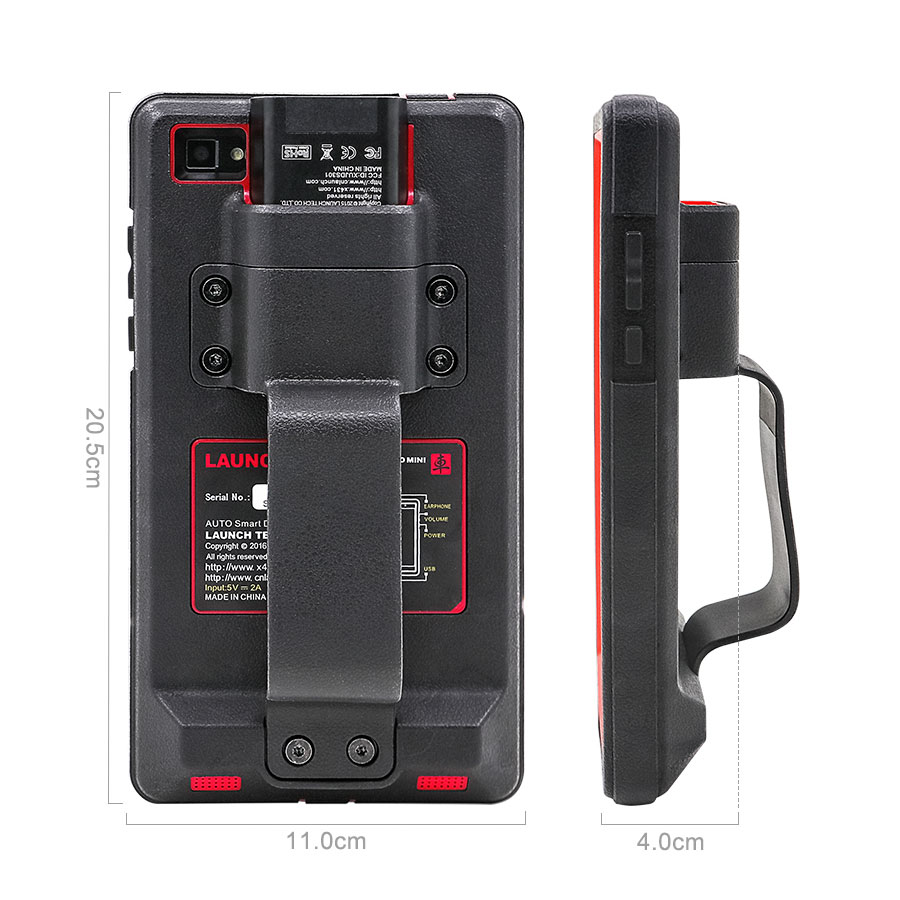
LCD screen: 6.9 inch with a resolution of 1280 x 720 pixels
Camera :Front-facing 2MP camera + rear-facing 5MP camera
Battery :3.7V/3000mh rechargeable polymer lithium battery
Connectivity : Wi-Fi: WLAN 802.11b/g/n ,Bluetooth: Bluetooth 4.1
Working temperature: 0℃ ~ 45℃
Storage temperature: -10℃ ~ 50℃

VCI module:
Working voltage 9 ~18V
Average working current About 85mA
Standby current About 55mA
Working temperature -10℃ ~ 55℃
Storage temperature -20℃ ~ 70℃
Relative humidity 20% ~ 90%

DBScarIII adapter parameters:
The brand-new DBScarIII adapter is small size and can be easily plugged into the handset to diagnose and matching, it tests car models stably, it supports
CAN diagnosis also USB data transfer.
Size: 69 × 40 × 18 mm
Operating voltage: 9V DC – 18V DC
Test voltage: DC12V
Typical power consumption: ≤2W
Bluetooth distance: 100 m
Connectivity: Bluetooth + wired
Operating temperature: -10℃to 50℃
Red Indicator: Turns red when connected to power supply;
blue Indicator: Turns blue then wireless Bluetooth work;
USB work: Turns green when the connector is connected to the USB cable

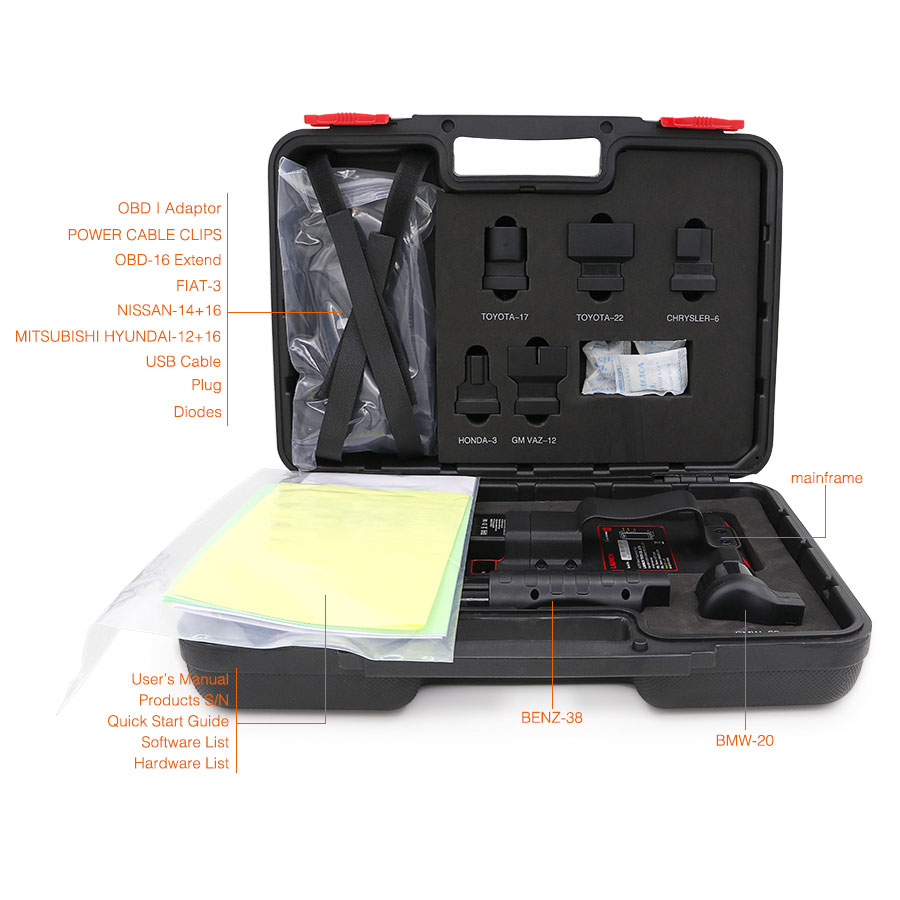
Launch X431 Pro MINI Obd2 Scan Tool Package Includes: 
1pc x X-431 PRO MINI tablet
1pc x Password envelope
1pc x VCI module (For connecting OBD II vehicles)
1pc x OBD II extension cable
1pc x OBD I adaptor (For connecting the non-16pin diagnostic connector and the
VCI module)
1pc x Battery clamps cable
1pc x Power adaptors
1pc x Non-16pin connectors (For connecting non-OBD II vehicle)

1.3


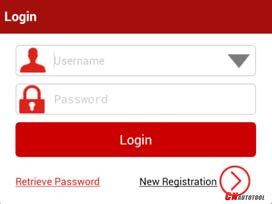
How to registration of Launch X431 Pro Mini ScannerTap “Login” on the upper right corner of the main menu screen:

If you are a new user, tap “New Registration”. See below picture.

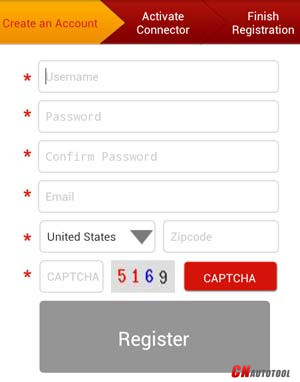
Note: To obtain better service, you need to provide real information.
Create App account: fill in the information in each field and then tap “Register”, a screen similar to the following will appear:

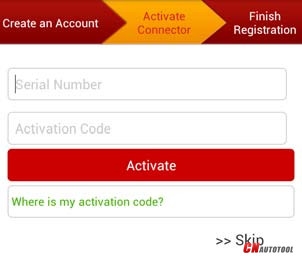
Activate the VCI module:
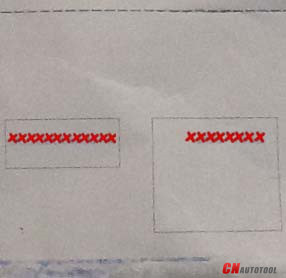
In the above figure, input the Serial Number and Activation Code, which can be found in the password envelope.

Note: To exit and activate it later, tap “Skip”. In this case, you can activate your connector by tapping “Activate Connector” in “Personal Center”.

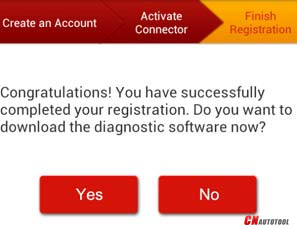
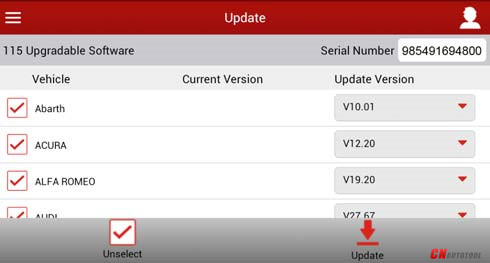
Tap “Activate”, a dialog box pops up saying congratulations! You have successfully completed your registration; the next step is to download the diagnostic software

 

https://www.cnautotool.com/category-35-b0-Launch+X431.html

2021年4月8日星期四

Launch X431 Pro Mini Bluetooth VS X431 Diagun, X431 Pro Mini Wins


Launch X431 Pro Mini Bluetooth VS X431 Diagun, X431 Pro Mini Wins in features, function, vehicle coverage, parameters, etc.

15-1

X431 Pro Mini Wins X431 Diagun in highlights:

Android-based vehicle trouble diagnostic tool
Full car model covering prevailing vehicle models of Asian, European, American and Chinese
Full system vehicle trouble diagnosis
Wi-Fi connection
Bluetooth communication between the VCI module and X-431 PRO MINI
Perform remote diagnosis: configures X-431 PRO MINI as an I/M(Instant Messaging) tool, which enables technicians to exchange repair experience and perform remote assistance more conveniently.
One-click update online for 2 years free: Lets you update your diagnostic software more efficiently. To obtain better function and update service, advise you update the software regularly.
OBD diagnose function: Reading DTCs, Clearing DTCs, Reading Data Stream and Actuation Test
Special Functions: Oil Reset Service, Steering Angle Calibration, Electronic Parking Brake Reset, Battery Register / Battery Maintenance, ABS Bleeding, Electronic Throttle Position Reset / Learn, Diesel Particulate Filter (DPF) Regeneration, Tire Pressure Monitor System Reset, Gear Learning, Immobilizer Matching and Fuel Injector Coding

X431 Pro Mini Wins X431 Diagun in vehicle coverage:

X-431 PRO MINI supports all electronic control systems on 12V EFI models, incl. more than 150 European, American and Asian models like Maserati, Ferrari, Rolls Royce, Bentley, Mercedes-Benz, BMW, Audi.Diagnose the electronic control system of prevailing vehicle models covering Asian, European, American and Chinese. It achieves full car model and full system vehicle trouble diagnosis.

15-2

X431 Pro Mini Wins X431 Diagun in features:

Accurate: X-431 PRO MINI performs diagnosis (fault code, data stream, action test and other functions) as the dealership.
Quick: can perform full system diagnosis and one button to clear codes at a high speed
Record and playback Data Stream: Record and playback the data stream help you analyze the trouble when driving and solve it.
VINSCAN: Automatic scan (OBD VIN) and manual input (INPUT VIN) are available.
View History: The History function provides a quick access to the tested vehicles and users can resume from the last operation, without the necessity of starting from scratch.
Maintenance Help: Including: How-to Videos, operation skills and user manual, Q&A, Quick start guide etc.

X431 Pro Mini Wins X431 Diagun in parameters compared:

X-431 PRO MINI Technical Parameters:
Operating system: Android 5.1
Processor :Quad core 1.3 GHz
Memory: 2GB
Storage:16GB
LCD screen: 6.9 inch with a resolution of 1280 x 720 pixels
Camera :Front-facing 2MP camera + rear-facing 5MP camera
Battery :3.7V/3000mh rechargeable polymer lithium battery
Connectivity : Wi-Fi: WLAN 802.11b/g/n ,Bluetooth: Bluetooth 4.1
Working temperature: 0℃ ~ 45℃
Storage temperature: -10℃ ~ 50℃

VCI module Parameters:
Working voltage 9 ~18V
Average working current About 85mA
Standby current About 55mA
Working temperature -10℃ ~ 55℃
Storage temperature -20℃ ~ 70℃
Relative humidity 20% ~ 90%

DBScarⅢ adapter parameters:
The brand-new DBScarⅢ adapter is small size and can be easily plugged into the handset to diagnose and matching, it tests car models stably, it supports
CAN diagnosis also USB data transfer.
Size: 69 × 40 × 18 mm
Operating voltage: 9V DC – 18V DC
Test voltage: DC12V
Typical power consumption: ≤2W
Bluetooth distance: 100 m
Connectivity: Bluetooth + wired
Operating temperature: -10℃to 50℃
Red Indicator: Turns red when connected to power supply;
blue Indicator: Turns blue then wireless Bluetooth work;
USB work: Turns green when the connector is connected to the USB cable

X431 Pro Mini Wins X431 Diagun in handset

15-3

1 VCI module

2 Reset hole

3 Rear camera

4 Camera flash

5 Slot for VCI module for housing the VCI module.

6 POWER/Screen lock key In Off mode, press it to turn X-431 PRO MINI on; In On mode, turn X-431 PRO MINI off with long press or lock screen with short press.

7 Carry strap

8 Air intake vent

9 USB/Charging port To connect to the power adaptor for charging.

10 Microphone

11 LCD screen

12 VOLUME +/- Key To adjust the volume. To print the screen, hold and press the POWER and VOLUME – key until a snapshot pops up on the screen.

The captured snapshot is saved in the “Screenshots” folder.

13 Speaker

14 Front cameras

15 Earphone Jack

Launch X431 Pro Mini package:
15-4
15-5

For more information about Launch X431 scan tool ,please visit our website sale@cnautotool.com

2019年2月20日星期三

How to register Launch X431 V 8inch Tablet Wifi Bluetooth scanner?

Launch X431 V 8inch Tablet Wifi Bluetooth scanner registration is needed, though it is able to directly use without activation by sending country and language to Launch Company and wait 2 working days. Following the steps as below, it is easy to do.
1-1
During initial use, tap the X-431 V icon on the home screen and you will see some illustrations that guide you through some of important operations of the application. Scroll your screen to left to read it until the “Start Now” page appears. Tap “Start now” to enter the main menu screen.
Launch X431 V 8inch Tablet user registration
Tap “Login” on the upper right corner of the main menu screen:
3-1
If you are a new user, tap “New Registration”.
3-2
Note: To obtain better service, you need to provide real information. Fill in the information in each field (Items with * must be filled). After inputting, tap “Register”, a screen similar to the following will appear as below, input the Serial Number and Activation Code, which can be found in the password envelope.
3-3
3-4
3-5
Note: To exit and activate it later, tap “Skip”. In this case, you can activate your connector by tapping “Activate Connector” in “Profile”. Tap “Activate” to finish your registration.
3-6
To download the diagnostic software, tap “Yes”.
Tap “No” to download and install it later.
3-7
Tap “Update” to start downloading. It may take several minutes to finish it, please be patient to wait. To pause downloading, tap “Pause”. To resume it, tap “Continue”. Once download is complete, the system will install the software package automatically.
If you have registered to be a member, input your name and password, and then tap the “Login” button to enter the main menu screen directly.For information about LAUNCH X431 PRO MINI, please check this link:
www.cnautotool.com