2020年4月17日星期五

What is advantange of X431 V+


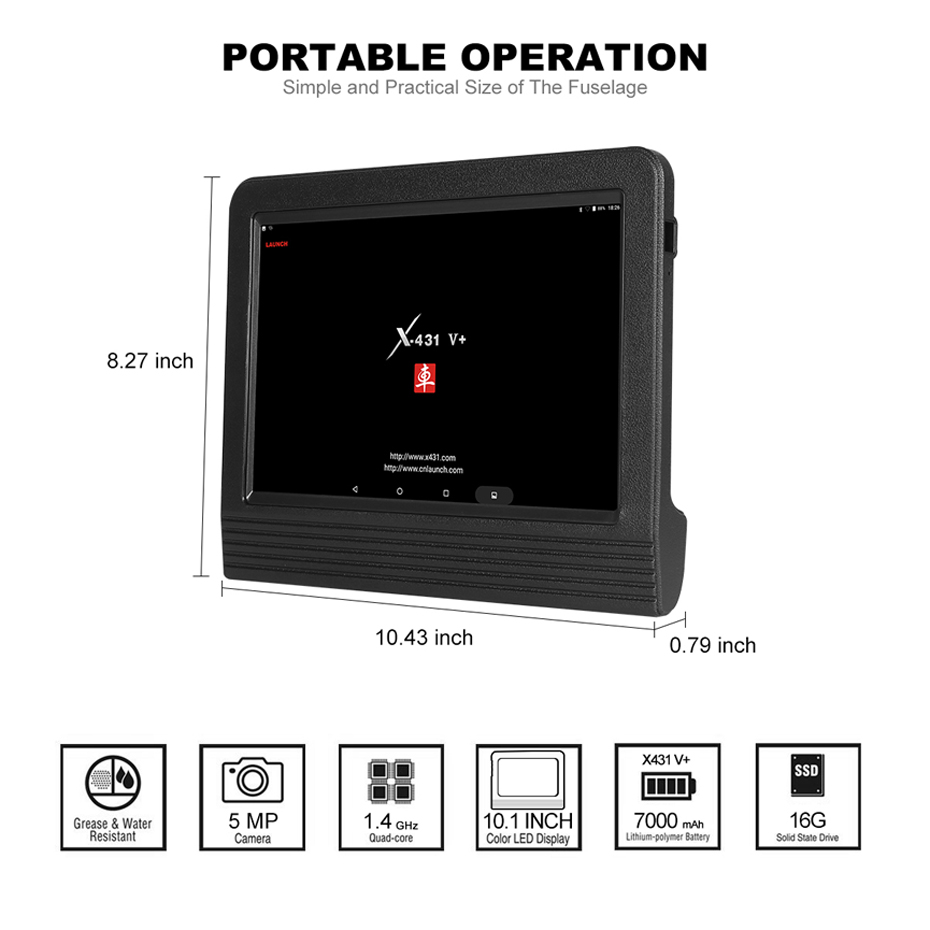
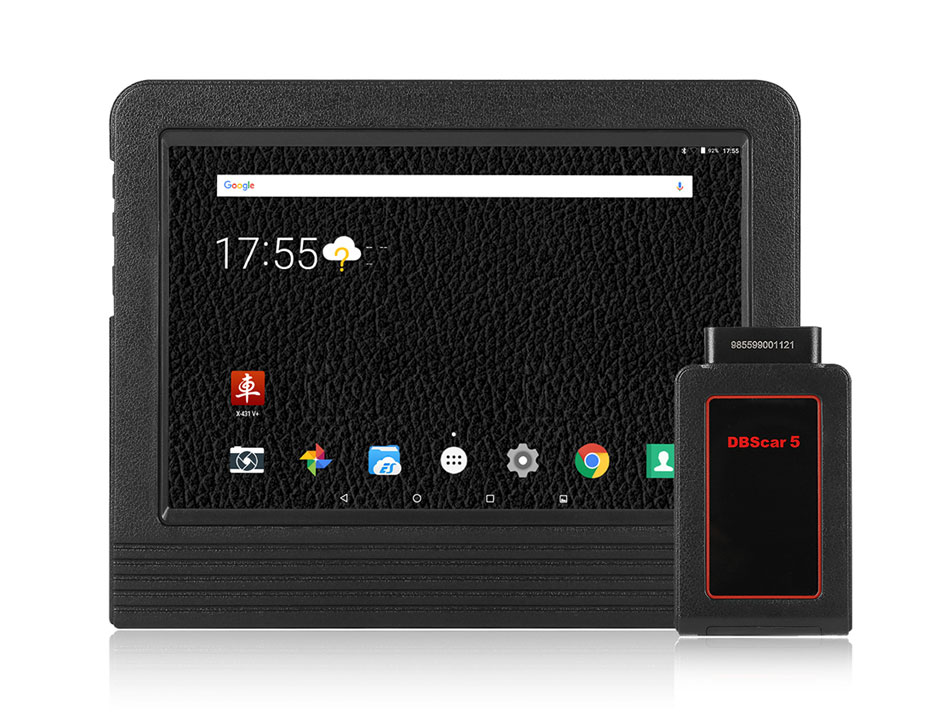
 X-431 V+ taking the advantage of mobile internet, can share maintenance data and case library, provide instant maintenance information, and build public and private maintenance social circle,etc.,thus lead to wide car diagnostic community.  It is a typical diagnostic device contributed by Launch to diagnostic industry concerning internet application. Launch X431 V+ with Bluetooth/Wifi based on Android system, is a new car malfunction diagnostic device developed by Launch Tech for internet application. X-431 V+ completely substitutes X431 IV and X431 Diagun III.

X431 V+ Features :
1. THE MOST ADVANCED UI: Utilizes Android 5.1 to provide you with an easy to use interface that has powerful functions, quick auto scanning and vehicle diagnosis, and a touch screen user interface that is easy to learn
2. BEST HARDWARE: The Launch X431 V+ is the newest version of the X431 standard and is the successor to the V, IV and X431 Diagun III versions. This model has a higher hardware configuration, larger storage capacity, faster processor, latest display technology (10 inch capacitive touch screen), and bigger battery for a longer use time between recharging
3. WIRELESS CONVENIENCE: With a Bluetooth OBDII connector module& wifh function, you can wirelessly communicate directly with any vehicle. Since you do not need to be wired into the dashboard when using the Launch X431 V+, you are now free to run the scanning, repair and diagnostic tests while you are working under the hood or while doing other maintenance tasks at your workbench
4. POWERFUL FUNCTIONS: Diagnosis functions include: Read DTCs, Clear DTCs, Read Datastream, Maintenance Recommendations, Special Repair Functions
5. DIAGNOSTIC TOOL FOR EVERY SITUATION: Supports over 68 car brands and 220 car models from America, Europe, Asia
Full 11 Special Functions:
1. Oil Reset Service
2. Steering Angle Calibration
3. Electronic Parking Brake Reset
4. Battery Register &Battery Maintenance
5. ABS Bleeding
6. Electronic Throttle Position Reset & Learn
7. Diesel Particulate Filter (DPF) Regeneration
8. Tire Pressure Monitor System Reset
9. Tooth Learning
10. Anti-theft Matching:    This function can protect your car from being stolen by clearing the lost car key information and programming the new key into the ECU database. Also known as keys programming.
11. Injector matching
Other Functions:
Active Test
Active test is to test output elements. You can figure out whether a specific subsystem or component in your car functions well or not by using this tool to make the tester outputs function instead of checking in ignition status.
Technology Backup
You can get remote control tech support from LAUNCH tech team by sending one-click recorded videos and accurate diagnostic results to them. Also, the one-click update online feature is quite convenient.
Launch X431 V+ Display :
6-2
6-3

6-5


2020年4月15日星期三

Original Factory Caterpillar ET3 Adapter III Compare With OEM Caterpillar ET Diagnostic Adpater III

The Difference between Oiginal Factory CAT Caterpillar ET Diagnostic Adapter III Scanner and OEM Cat Caterpillar ET Diagnostic Adapter
CAT Caterpillar ET Diagnostic Tool  Product Description :
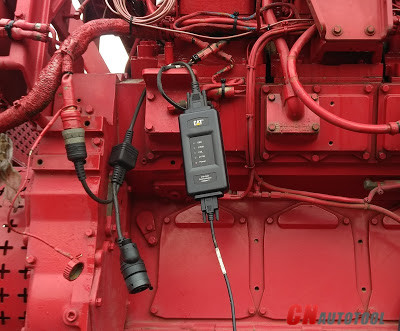
CAT Caterpillar ET Diagnostic Tool from Caterpillar provide the capability to access Electronic Control Modules (ECMs) from a personal computer. Many job-critical tasks can be performed with an electronic service tool. The user can display the status of a group of parameters (temperatures, pressures, etc.) simultaneously, view active and clear logged diagnostics, display the current configuration of an ECM and much more.
The service tool works with a communication adapter to allow connection to an ECM. A graphical interface makes this software quick to learn and easy to use. A separate pull-down menu for each function enhances the “ease of use.” The version and identification of the ECM is automatically retrieved and is displayed on a summary screen when the program is started. Diagnostic tests and calibrations can also be performed.
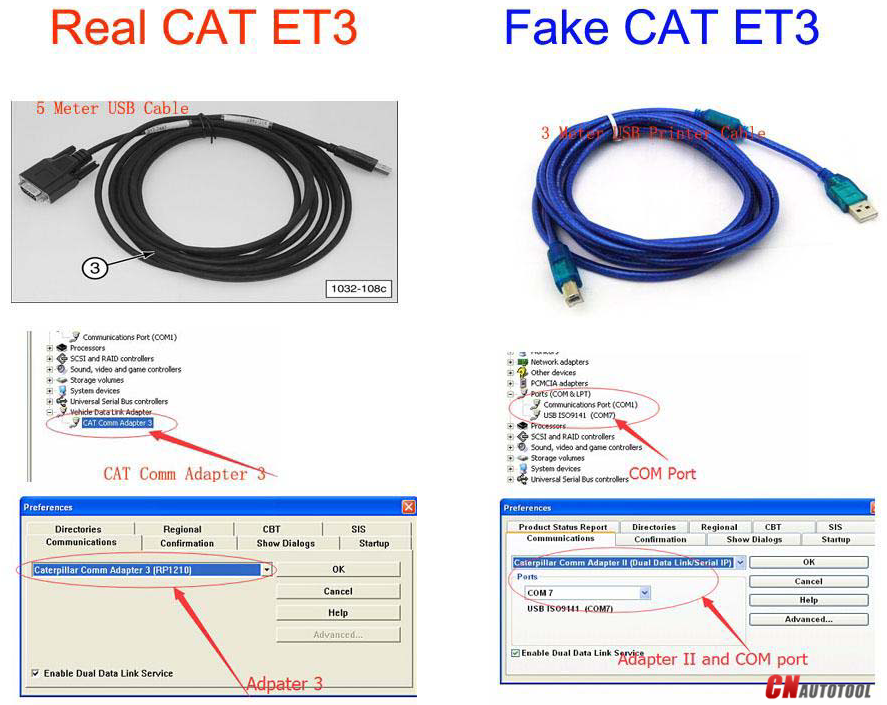
The difference between the caterpillar ET diagnostic Adapter III the main cable is the big different, the original factory Cat Caterpillar the cable is the COM port cable, and the OEM cat caterpillar Adapter III the cable is USB port cable. the belows photo are the two kind of cable for the Cat Caterpillar ET Diagnostic Adapter III:
11-1
As we all known the cat caterpillar ET Truck scanner can support for heavy duty trucks and can support Bulldozer, Wheel Loader, Excavator, Dump Truck, Grader these truck, but not all the truck scan support according to the car type and the year of car, now we sell both the original factory cat caterpillar ET adapter and OEM cat caterpillar ET diagnostic adapter III,you can check with our website CnAutotool.com about the Cat Caterpillar scanner.

How to connect the ECM by CAT Communication Adapter 3

Test the Connection to the ECM Caterpillar Engines using CAT Communication Adapter 3 Toolkit
9-1
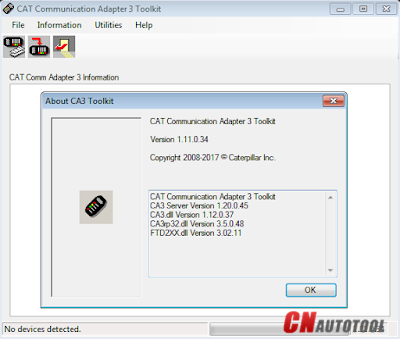
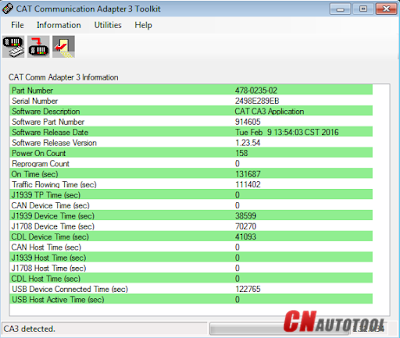
Use CAT Communication Adapter 3 Toolkit to test the connection between the CAT Communication Adapter 3 and the ECM Caterpillar Engines.
9-2
-Download Driver for CAT Comm Adapter 3 here:
CAT Comm Adapter 3 – v2.0
CAT Comm Adapter 3 – v4.4
Preparing to use the CAT Communication Adapter 3 Toolkit
1. Prepare your PC, and connect CAT Comm Adapter 3 to Diagnostic Port/Connector to the ECM.
2. Click “Start” – “All Programs” – “Caterpillar Comm Adapter 3” – “Comm Adapter 3 Toolkit”, or through shortcut “Comm Adapter 3 Toolkit” on desktop.
9-3
3. Once CA3 was detected, close the CAT Communication Adapter 3 Toolkit and open the CAT ET Software.
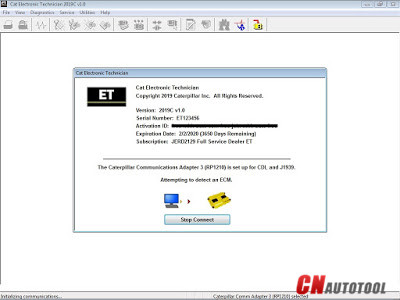
-The Connection message box is displayed while the service tool attempts to establish communications with the data link.
9-4
-To cancel all attempts to communicate with the ECM, click the “Stop Connect” button on the Connection message box. All functions that require an active data link connection are disabled. The service tool displays a blank main screen. The status bar is updated with the message “Disconnected.”
9-5
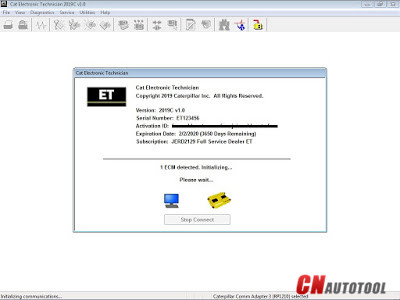
4. When communications are successfully established and a single ECM is found, the “ECM Summary” screen displays. When communications are successfully established and multiple ECMs are found, the ECM Selector dialog box displays. If the service tool connects to an ECM that is not supported by the subscription, the service tool displays a message and immediately disconnects.
9-6
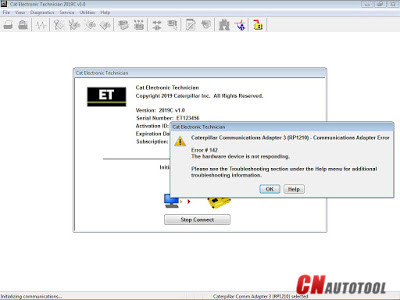
5. If any problems while trying to Initializing communications to the ECM, it will displays “Cat Electronic Technician” message to provides information for correcting the problems as example below.
9-7
9-8
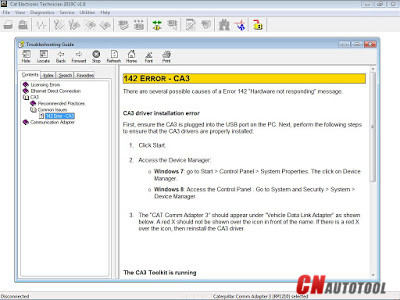
Click “Help” button
Troubleshooting Guide

2020年4月14日星期二

OD6 DoIP VCI J2534/DoIP OE diagnostic tool

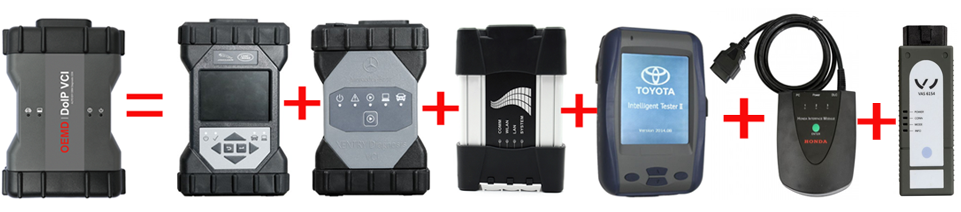
OD6 DoIP VCI J2534/DoIP OE diagnostic tool for Jaguar,rover,BENZ, BMW,VW, HONDA, TOYOTA Multiple in one
OD6 DoIP VCI multi in one DoIP OE diagnosis is a real DoIP original diagnosis instrument based on DOP, J2534 and more original protocols adaptation under OEMD brand. It not only supports all J2534 protocols, but also takes the lead in realizing perfect and complete DoIP adaptation in the industry, replacing the original diagnosis instrument’s adaptation ability, programming ability, diagnosis and programming speed, stability and original diagnosis. The ability of the instrument has been greatly improved, taking the lead in the industry to replace C6 in an all-round way, and it is also the first comprehensive original diagnostic instrument in the industry to realize all functions
of ICOM A2 and VAS6154. OD6 has really raised the multi in one and comprehensive original diagnosis instrument to a new benchmark height, which has become the only choice for J2534 and DoIP OE diagnosis tool.
All original software will installed
1. If you select the software installed the hard disk , you can insert the hard disk to your laptop then can use it Configuration requirements and usage of PC
1.1 Computer hardware requirements: CPU i5/i7; memory: 8g.
1.2 Usage: there are 4 options after power on, which can be selected by the up and down keys, and then click enter to confirm.
2. If you select the software installed the laptop , you can use it directly when you get it
Lenovo T420 Laptop configuration:
Brand: Lenovo
Screen Size:14.0
Memory: 4GB
Memory (RAM): Intel (R) Core(TM) I5-2520M CPU
HD:2TB
Type: Laptop/Notebook
Condition: Used
Primary Drive: DVD+/-RW Processor Speed: 2.50GHz
An item that has been used previously. The item may have some signs of cosmetic wear, but is fully operational and functions as intended.
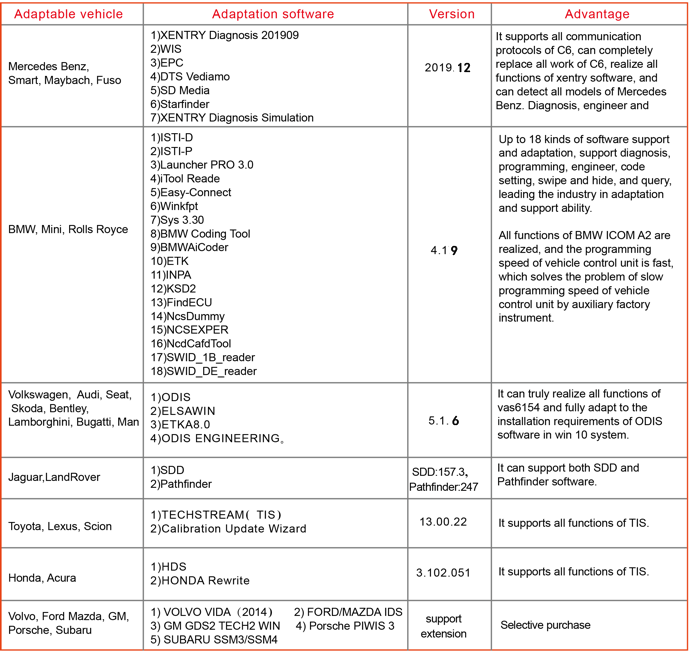
OD6 DoIP VCI Compatible With:
7-1
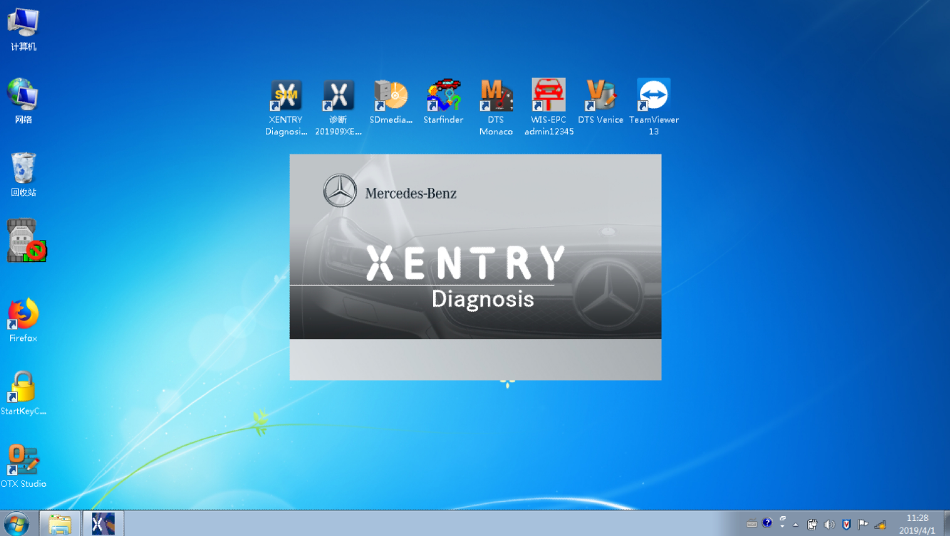
1.2019.12 Mercedes Benz C6 DoIP Xentry Diagnosis VCI software
2.JLR DoIP VCI SDD and Pathfinder software for Jaguar Land rover
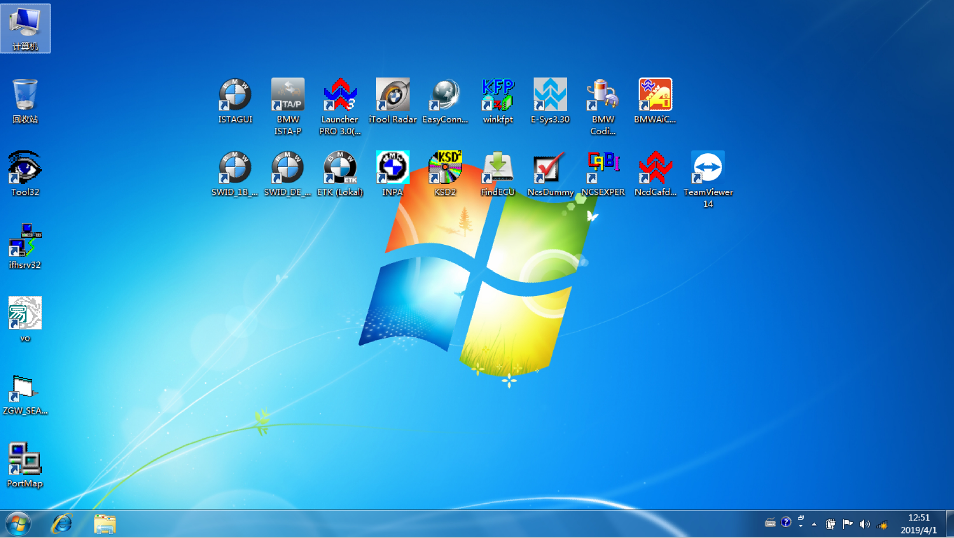
3.V2019 BMW ICOM Next
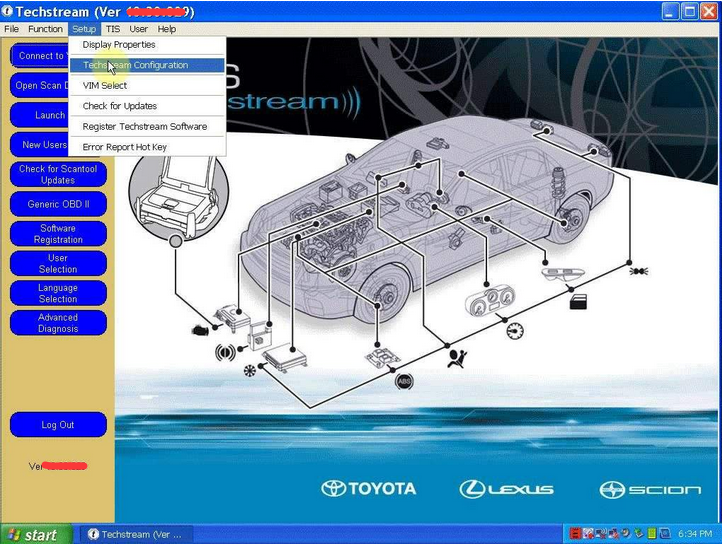
4. TOYOTA TIS Techstream V13.00.22 software
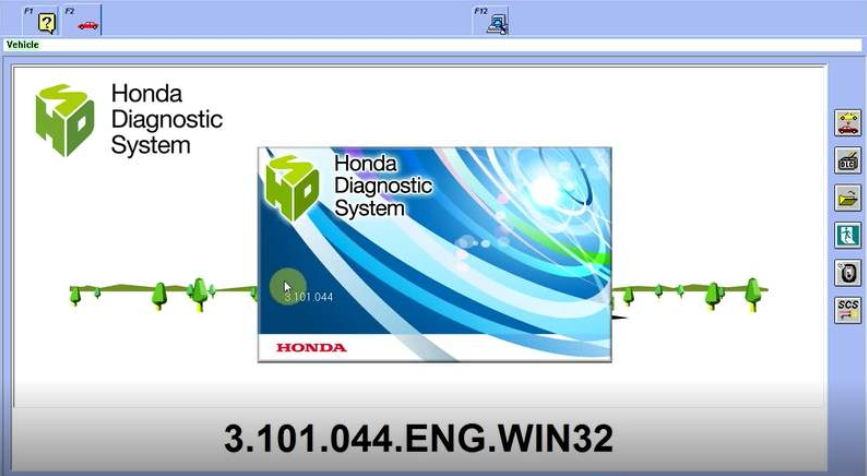
5. Honda HDS HIM V3.102.051 software
6.VW ODIS V5.1.6 software
7-2
1. Mercedes Benz C6 DoIP Xentry Diagnosis VCI software display:
7-3
2. JLR DoIP VCI for Jaguar Land rover SDD and Pathfinder software display:
7-4
3.BMW ICOM Next A2+B+C software display:
7-5
4. TOYOTA TIS Techstream software display:
7-6
5. Honda HDS HIM V3.102.051 software display:
7-7
6.VW ODIS V5.1.3 software display:
7-8
Protocol support:
1.SAE-J2534-1
2.SAE-J2534-2
3.ISO-9141 K-Line
4.ISO-14230 K-Line
5.ISO-15765 K-Line/CAN
6.ISO-11898 DWCAN
7.ISO-11898 DWFTCAN
8.SAE-J1850 VPW(GM Class2)
9.SAE-J1850 PWM(FORD SCP)
10.SAE-J2411 Single Wire CAN(GMLAN)
11.SAE-J2610 SCI(Chrysler)
12.SAE-J2740 GM ALDL
13.SAE-J2809 (HONDA DIAG-H)
14.SAE-J1939 CAN
15.SAE-J1708 On RS 485
16.VAG TP16 CAN
17.VAG TP20 CAN(SAE J2819)
18.VAG KW81(SAE J2818)
19.BMW DS2
20.FORD UBP
21.DOIP

2020年4月13日星期一

Create Product Status Report (Download List) on Caterpillar ET Software

How to Create Product Status Report (Download List) on Caterpillar ET Software?

Purpose:
The Product Status Report feature allows users to capture the status of a machine or engine at a specific moment in time. Data loaded from the ECM is compiled in the Product Status Report and includes parameters, user comments, and user-selected diagnostics and/or configuration information. The report is automatically saved once it has been created and may be viewed immediately or at a later time.
-Connect CAT ET Software, Read More: How to Connect Caterpillar ET Software to the ECM
-Open CAT Caterpillar ET, click on Menu “Information – Product Status Report”.
1-1
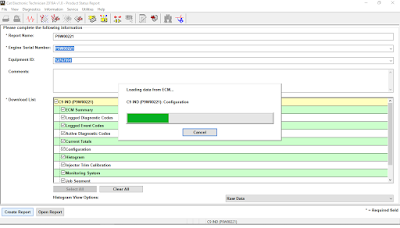
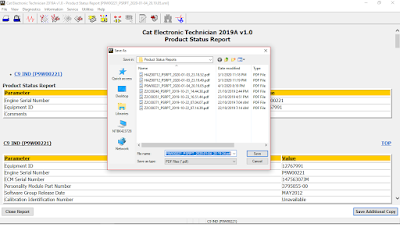
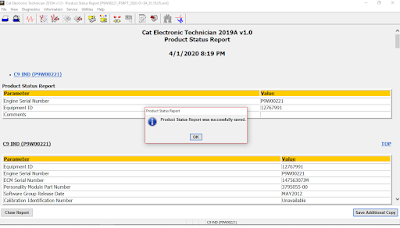
-Click on Create Report, after the selected information is loaded from the ECM, the Product Status Report is displayed and saved in the XML format. Click Close Report to return to the Product Status Report screen. Click Save As to save the Product Status Report with a different name, to a different location, or in a different format (for example, PDF).
1-2
1-3

Related posts:

 2019C Version CAT Caterpillar ET Diagnostic Adapter 3 Cat Communication Adapter III PLUS DELLd630 Laptop (Real Caterpillar ET3 Adapter III)

2019年5月17日星期五

MB SD Connect C5 with Super Engineering Software DTS monaco And Vediamo Plus EVG7 Tablet Support Offline Program 2019.05

US$958.00  MB SD Connect C5 with Super Engineering Software DTS monaco And Vediamo Plus EVG7 Tablet Support Offline Program 2019.05
https://www.cnautotool.com/goods-5102-MB+SD+C5+Star+With+Vediamo+V050006+Engineering+Software+Plus+EVG7.html

 Please kindly note :

1.Including Super Engineer Software:DTS monaco V8.08.21 And Vediamo V5.01.00 Support Offline Programming
2.Support Wireless

3.Software Version: V2019.05

   HardwareVerison: OS:2.3 CSD:2.11

4.Support Multi-Language: (Default language is English, if you want other languages, please leave message)
English/Bulgarian/Danish/Greek/Spanish/French/Italian/Korean/Polish/Romanuan/Serbo-Croatian/Turkish/Czech/German/Finish/Hyngarian/Japanese/Dutch/Portuguese/Russian/Swedish/Chinese.


CAT Caterpillar ET Diagnostic Adapter III 2018C Version (Real Caterpillar ET3 Adapter III)

US$758.00  CAT Caterpillar ET Diagnostic Adapter III 2018C Version (Real Caterpillar ET3 Adapter III)
https://www.cnautotool.com/goods-333-CAT+Caterpillar+ET+Diagnostic+Tool.html

 Top 5 Reasons To Get CAT Caterpillar ET Diagnostic Tool Adapter III
1. Latest Version:2018C
2. Supported Operating System: windows XP, Windows 7  32 bits
3. After install the software , we will active the software 2018 version for you by remote .
4. Supported Language: English, Chinese, Danish, French, German, Italian, Japanese, Portuguese, Russian, Spanish
5. Support All cars of CAT